Confirm tester appointments and daily route order in one step
Each morning, WebRun opens SwiftComply, pulls that day's scheduled backflow test appointments, groups them by assigned tester, posts an internal route-order summary to Slack for dispatchers, and saves appointment confirmation drafts in Google Calendar for review before any tester receives a notification.
- No credit card
- Under $0.01 per run
- Cancel anytime
What does WebRun do on every run?
The exact actions WebRun takes, in order - in plain language, so you can adjust anything.
-
WebRun signs in and gets to work
Opens
app.swiftcomply.comin a real browser with your saved login - no setup, no API keys. -
1
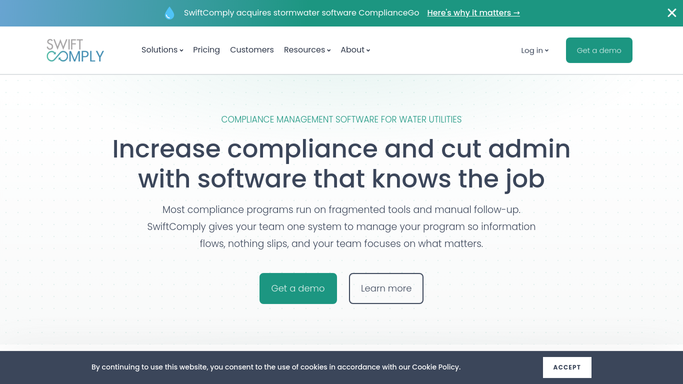
SwiftComply - pull today's test appointments
swiftcomply.com How to Automate SwiftComply

WebRun opens SwiftComply to pull today's test appointments. - Open SwiftComply and navigate to today's scheduled test appointments
- Capture the property address, device type, assigned tester name, and appointment window for each job
- Group jobs by assigned tester and sort by geographic order to minimize drive time
- Flag any appointment missing a confirmed tester assignment
Done when Every appointment for today is listed with tester assignment and address, grouped by route.
-
2
Google Calendar - draft confirmation events for review
calendar.google.com How to Automate Google Calendar
WebRun opens Google Calendar to draft confirmation events for review. - Draft a calendar event for each appointment on the assigned tester's calendar
- Include the customer address, device serial number, and contact info in the event description
- Leave each event as a draft for dispatcher review. Do not invite the tester until the route is confirmed
Done when Draft calendar events are queued for each tester's appointments, awaiting dispatcher confirmation.
-
3
Slack - post route summary to dispatch channel
slack.com How to Automate Slack
WebRun opens Slack to post route summary to dispatch channel. - Post today's route summary to the dispatch Slack channel
- List each tester with their stop count, first address, and any flagged gaps
- Tag the dispatcher to review and confirm before routes are sent to testers
Done when Dispatch channel has today's full route summary and knows which routes need confirmation.


How do I automatically confirm backflow tester routes and appointments each morning?
WebRun pulls every backflow test appointment from SwiftComply each morning, groups jobs by tester into a geographic route order, posts a route summary to the dispatch Slack channel, and queues Google Calendar draft events for each tester. Dispatchers review and confirm before any notification reaches a tester, keeping the day's schedule accurate.
- Dispatchers start every morning with a ready-to-confirm route plan
- Testers never receive an unverified schedule, reducing wasted trips
- Unassigned jobs are flagged before the workday starts, not discovered in the field
Built for backflow testing companies · plumbing contractors · water utility dispatch teams · cross-connection control program managers
How is each run configured?
Secure by default
Connect once, stays signed in
WebRun signs in once and keeps each session in a persistent environment, so every run picks up right where it left off.
Every action is checked against this policy before it runs.
Questions, answered
Will it send appointment confirmations to testers on its own?
No. WebRun drafts the Google Calendar events and posts the route summary to Slack for dispatcher review. Calendar invites are not sent to testers until the dispatcher explicitly confirms the route.
How does it decide the route order?
It groups jobs by assigned tester and sorts stops geographically to minimize drive time, based on the property addresses in SwiftComply. You can override any order before confirming.
What happens if a job has no tester assigned?
Unassigned appointments are flagged in the Slack summary so the dispatcher can allocate a tester before the route goes out. Nothing falls through without an alert.
Related templates
Put this on autopilot.
Turn it on in minutes - or have our team set it up for you.