Follow up on open backflow testing quotes before they go cold
Every Monday, WebRun reviews the open-quote log in Google Sheets, finds quotes sent more than five days ago with no response, cross-references any device or compliance data in SwiftComply to personalize the follow-up, and drafts a tailored response for each prospect in Gmail for your team to review and send.
- No credit card
- Under $0.01 per run
- Cancel anytime
What does WebRun do on every run?
The exact actions WebRun takes, in order - in plain language, so you can adjust anything.
-
WebRun signs in and gets to work
Opens
docs.google.com/spreadsheetsin a real browser with your saved login - no setup, no API keys. -
1
Google Sheets - identify open quotes past follow-up threshold
google.com How to Automate Google Sheets

WebRun opens Google Sheets to identify open quotes past follow-up threshold. - Open the open-quote tracking sheet
- Filter for rows where the quote was sent more than 5 days ago and no response date is recorded
- Capture the prospect name, address, quoted service, quote amount, and days since sent for each
Done when Every stale open quote is identified with full prospect details and days outstanding.
-
2
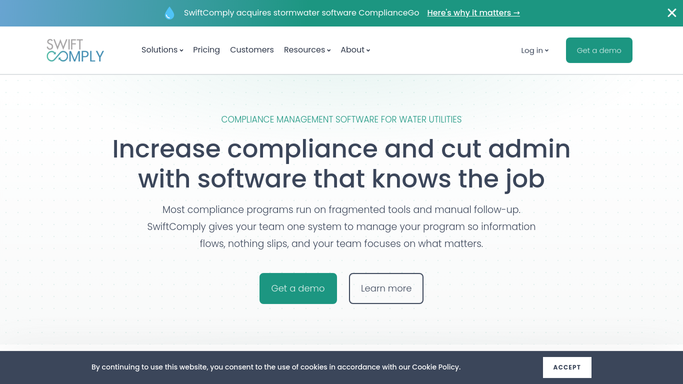
SwiftComply - pull device and compliance context for each prospect
swiftcomply.com How to Automate SwiftComply
WebRun opens SwiftComply to pull device and compliance context for each prospect. - Look up the prospect's address in SwiftComply to check whether any of their devices have a test-due date approaching
- If a device is coming due, note the compliance urgency to use as a follow-up hook
- If the prospect already has existing devices registered, note the device type and service history to personalize the message
Done when Each stale quote has relevant SwiftComply device or compliance context captured for personalization.
-
3
Gmail - draft personalized follow-up for review
gmail.com How to Automate Gmail
WebRun opens Gmail to draft personalized follow-up for review. - Draft a brief, personalized follow-up email for each stale quote
- Reference the specific service quoted and, where available, a compliance urgency reason from SwiftComply
- Save every draft to Gmail Drafts. Do not send. Leave all drafts for your team to review, adjust, and send
Done when One personalized follow-up draft per stale quote is waiting in Gmail Drafts for team review.


How do I automatically follow up on open backflow testing quotes before they go cold?
WebRun reviews your open-quote tracking sheet every Monday, finds prospects who have not responded in more than five days, pulls any approaching compliance deadlines from SwiftComply to personalize each message, and saves a follow-up draft in Gmail for each prospect. Your team reviews and sends the drafts, keeping every open quote alive without manual prospecting.
- Every open quote gets a personalized follow-up before the five-day cold threshold is crossed
- Compliance urgency from SwiftComply gives follow-up emails a timely, relevant hook
- No follow-up is sent without team review, keeping prospect communications accurate and on-brand
Built for backflow testing companies · plumbing contractors quoting compliance services · water utility service providers · cross-connection control service sales teams
How is each run configured?
Secure by default
Connect once, stays signed in
WebRun signs in once and keeps each session in a persistent environment, so every run picks up right where it left off.
Every action is checked against this policy before it runs.
Questions, answered
Will it send follow-up emails to prospects without my approval?
No. Every follow-up email is saved as a Gmail draft for your team to review and personalize before sending. WebRun never emails a prospect on its own. You control what goes out and when.
How does it personalize the follow-up beyond just the prospect's name?
It looks up the prospect's address in SwiftComply and checks whether any of their devices have a test-due date approaching. If a compliance deadline is near, the draft references that urgency so the follow-up feels timely rather than generic.
What if the prospect already responded and the quote is closed?
It reads the response date column in the Google Sheets quote tracker. Any quote with a recorded response date, whether won or lost, is skipped. Only truly open quotes with no response are added to the draft queue.
Related templates
Put this on autopilot.
Turn it on in minutes - or have our team set it up for you.