Route new backflow testing leads to the right tester based on location and availability
When a new backflow testing inquiry arrives via your web form, WebRun reads the service address, looks up which certified tester covers that zip code and service area in SwiftComply, logs the lead in Google Sheets with tester assignment, and posts a routing alert to Slack so the right tester can follow up within minutes.
- No credit card
- Under $0.01 per run
- Cancel anytime
What does WebRun do on every run?
The exact actions WebRun takes, in order - in plain language, so you can adjust anything.
-
WebRun signs in and gets to work
Opens
app.swiftcomply.comin a real browser with your saved login - no setup, no API keys. -
1
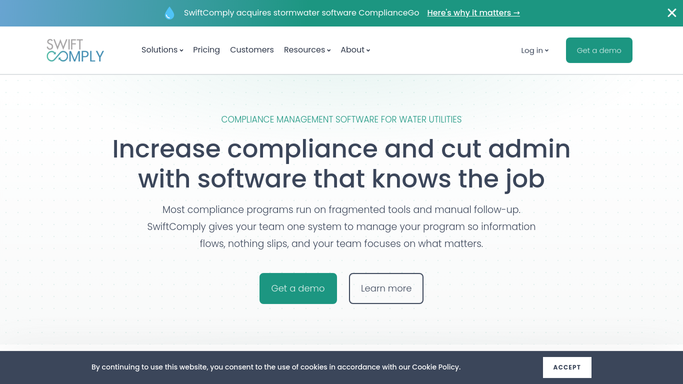
SwiftComply - match service address to certified tester coverage area
swiftcomply.com How to Automate SwiftComply

WebRun opens SwiftComply to match service address to certified tester coverage area. - Read the service address and device type from the submitted inquiry form
- Open SwiftComply and check which certified testers are registered to serve the jurisdiction covering that address
- Select the tester with the fewest open jobs in that area to balance the workload
- If no tester covers the address, flag the lead for manual routing
Done when Every new inquiry has a named tester assigned or is flagged for manual routing.
-
2
Google Sheets - log lead with tester assignment
google.com How to Automate Google Sheets
WebRun opens Google Sheets to log lead with tester assignment. - Open the lead intake tracking sheet
- Append a row for the new inquiry with the customer name, address, device type, submitted timestamp, and assigned tester
- Set lead status to New and assign the intake date so aging can be tracked
Done when The new lead is logged in Google Sheets with tester assignment and intake timestamp.
-
3
Slack - alert assigned tester with lead details
slack.com How to Automate Slack
WebRun opens Slack to alert assigned tester with lead details. - Post a routing alert to the dispatch Slack channel with the customer name, address, device type, and assigned tester
- Tag the assigned tester directly so they receive a Slack notification immediately
- For flagged leads with no coverage, tag the operations manager for manual resolution
Done when Assigned tester is notified in Slack with full lead details and no inquiry sits unrouted.


How do I automatically route new backflow testing leads to the right tester?
When a backflow testing inquiry is submitted, WebRun reads the service address, matches it to the right certified tester in SwiftComply based on jurisdiction coverage and current workload, logs the lead in Google Sheets, and posts a routing alert in Slack tagging the assigned tester. Inquiries are routed within minutes of submission, with no manual sorting needed.
- Every new inquiry is assigned to the right certified tester within minutes of submission
- Workload is balanced automatically across testers covering the same area
- No inquiry sits unrouted because the dispatch Slack alert is instant, not end-of-day
Built for backflow testing companies · plumbing contractors handling service inquiries · water utility dispatch teams · cross-connection control service providers
How is each run configured?
Secure by default
Connect once, stays signed in
WebRun signs in once and keeps each session in a persistent environment, so every run picks up right where it left off.
Every action is checked against this policy before it runs.
Questions, answered
How does it know which tester covers a given address?
It reads the jurisdiction and coverage area data from your SwiftComply tester roster. Each certified tester is registered to one or more water authority jurisdictions, and WebRun matches the inquiry address to the correct jurisdiction to assign the right tester.
What if two testers cover the same area?
WebRun selects the tester with the fewest open jobs currently assigned in that area to balance workload. You can override the assignment directly in the Google Sheets lead log before the tester is contacted.
Does it send any message to the customer when the lead comes in?
No. The Slack routing alert goes to your internal team only. Any customer-facing acknowledgment or appointment confirmation is a separate step that your team initiates after reviewing the assignment.
Related templates
Put this on autopilot.
Turn it on in minutes - or have our team set it up for you.