Track gauge calibration expiry and alert testers before they go out of compliance
Every Monday, WebRun opens SwiftComply, finds every tester whose gauge calibration certificate is expiring within 60 days, logs the list in Google Sheets, and posts an alert to the operations Slack channel so coordinators can arrange recalibration before a tester's kit goes out of compliance.
- No credit card
- Under $0.01 per run
- Cancel anytime
What does WebRun do on every run?
The exact actions WebRun takes, in order - in plain language, so you can adjust anything.
-
WebRun signs in and gets to work
Opens
app.swiftcomply.comin a real browser with your saved login - no setup, no API keys. -
1
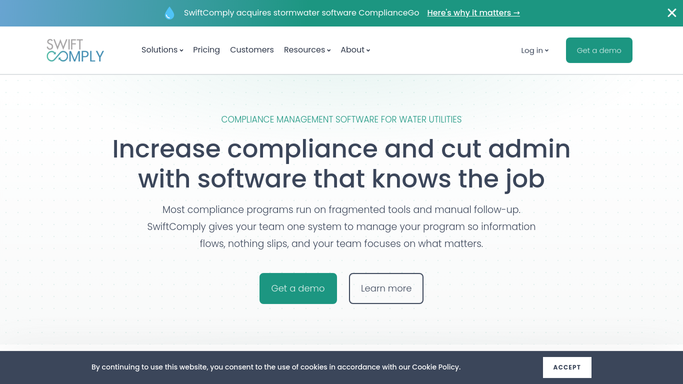
SwiftComply - find testers with expiring calibrations
swiftcomply.com How to Automate SwiftComply

WebRun opens SwiftComply to find testers with expiring calibrations. - Open SwiftComply and navigate to the tester credential and calibration section
- Filter for any tester whose gauge calibration certificate expires within the next 60 days
- Capture the tester name, gauge serial number, certification number, and exact expiry date for each
- Also flag any calibrations already expired that are still linked to active testers
Done when All expiring and expired calibrations are identified with tester and equipment details.
-
2
Google Sheets - log calibration expiry tracker
google.com How to Automate Google Sheets
WebRun opens Google Sheets to log calibration expiry tracker. - Open the gauge calibration tracking sheet
- Upsert a row for each tester with their gauge expiry date, days remaining, and status
- Mark testers as Expired, Due Soon (under 30 days), or Upcoming (30 to 60 days) based on the date
Done when The calibration tracking sheet reflects every tester's current calibration status.
-
3
Slack - alert ops team to expiring gauges
slack.com How to Automate Slack
WebRun opens Slack to alert ops team to expiring gauges. - Post a weekly calibration expiry alert to the operations Slack channel
- List Expired testers first, then Due Soon, then Upcoming, with days remaining for each
- Include the recommended action: book the tester for recalibration or suspend assignments until renewed
Done when Operations team has the week's calibration expiry list in Slack and knows who needs action.


How do I track backflow tester gauge calibration expiry dates automatically?
WebRun checks SwiftComply every Monday for testers with gauge calibration certificates expiring within 60 days, updates a Google Sheets tracker with days remaining for each gauge, and posts a prioritized alert to your operations Slack channel. Coordinators can then arrange recalibration before a tester shows up to a job with an invalid kit.
- Expired gauges are caught before a tester uses them on a job, protecting report validity
- Operations has a weekly ranked list of calibrations to action, not a surprise discovered in the field
- Google Sheets gives a running record of every tester's calibration history and renewal dates
Built for backflow testing companies · water utility compliance coordinators · plumbing contractors with certified testers · cross-connection control program managers
How is each run configured?
Secure by default
Connect once, stays signed in
WebRun signs in once and keeps each session in a persistent environment, so every run picks up right where it left off.
Every action is checked against this policy before it runs.
Questions, answered
Will it contact testers directly about their expiring calibrations?
No. WebRun posts an internal alert to your operations Slack channel and updates the Google Sheets tracker. Your coordinator decides how to notify the tester and arrange recalibration. No external message is sent automatically.
How far in advance does it flag an expiring calibration?
The default window is 60 days, giving you time to book a recalibration before the tester is grounded. You can narrow or widen that window when setting up the run.
What happens if a tester's calibration has already expired?
Expired calibrations are flagged at the top of the Slack alert and marked Expired in the Google Sheets tracker. The recommended action shown is to suspend that tester's assignments until the gauge is recertified.
Related templates
Put this on autopilot.
Turn it on in minutes - or have our team set it up for you.