Draft release notes from the work you shipped
Every Monday, WebRun opens Azure DevOps, collects the work items closed and the pull requests merged in the last seven days, writes them up as plain-language release notes in a Google Drive draft grouped into features, fixes, and internal changes, and logs the release record in Airtable for the team to approve before anything is published.
- No credit card
- Under $0.01 per run
- Cancel anytime
How do I generate release notes from Azure DevOps every week?
WebRun collects every Azure DevOps work item closed and pull request merged in the past week each Monday. It writes plain-language release notes into a dated Google Drive draft, grouped into features, fixes, and internal changes with links back to each item, and logs the release in Airtable as awaiting review.
- Release notes are drafted before anyone asks for them
- Every line links back to the work item or pull request behind it
- Nothing is published until a person approves the draft
Built for engineering managers · product managers · release managers · developer teams
What does WebRun do on every run?
The exact actions WebRun takes, in order - in plain language, so you can adjust anything.
-
WebRun signs in and gets to work
Opens
dev.azure.comin a real browser with your saved login - no setup, no API keys. -
1
Azure DevOps - collect last week's shipped work
dev.azure.com
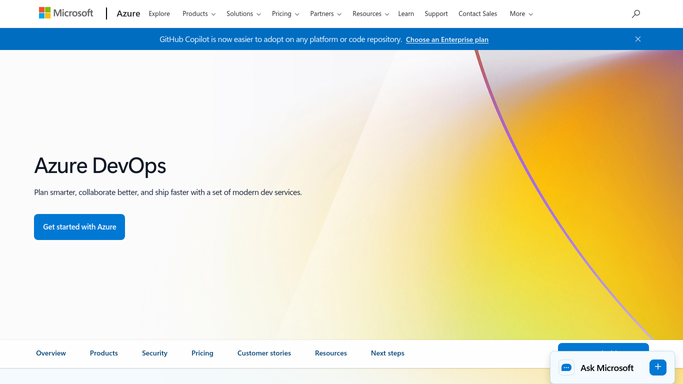
WebRun opens Azure DevOps to collect last week's shipped work. - Open Azure DevOps and list work items moved to done in the last seven days
- List pull requests merged into your release branches in the same period
- Capture the title, type, area path, and linked work item for each change
- Separate customer-visible changes from internal refactors and infrastructure work
Done when Every closed work item and merged pull request from the past week is captured and classified.
-
2
Google Drive - draft the release notes
drive.google.com How to Automate Google Drive

WebRun opens Google Drive to draft the release notes. - Open your release notes folder in Google Drive and create this week's dated document
- Write plain-language notes grouped into new features, fixes, and internal changes
- Link each line back to its work item or pull request so reviewers can check it
- Leave the document as an internal draft and never share it outside the folder or publish it anywhere
Done when A dated release notes draft sits in Google Drive, unpublished and ready for review.
-
3
Airtable - log the release record
airtable.com How to Automate Airtable

WebRun opens Airtable to log the release record. - Open your release log in Airtable
- Add a row for the week with the date, the count of features, fixes, and internal changes, and the draft link
- Set the status to Awaiting review so approval is tracked
- Link the row to the previous week so release history reads as one continuous record
Done when Airtable holds this week's release row with counts, a draft link, and an awaiting review status.
How is each run configured?
Secure by default
Connect once, stays signed in
WebRun signs in once and keeps each session in a persistent environment, so every run picks up right where it left off.
Every action is checked against this policy before it runs.
Questions, answered
Will it publish the release notes to customers?
No. The notes stay as an internal Google Drive draft with an Awaiting review status in Airtable. A person reads, edits, and publishes them, so nothing reaches customers unreviewed.
Can it merge pull requests or change work items?
No. WebRun reads Azure DevOps only. It never merges, approves, comments on a pull request, closes a work item, or triggers a pipeline.
How does it decide what is customer-visible?
It reads the work item type and area path in Azure DevOps, plus any release-notes tag your team uses. Anything ambiguous is placed in internal changes for a reviewer to promote.
Related templates
Put this on autopilot.
Turn it on in minutes - or have our team set it up for you.