Chase unanswered Avochato text threads before they go stale
Every hour, WebRun checks Avochato for inbound text threads that have gone unanswered past your set window, logs each one to Airtable with the assigned rep, and adds an escalation note to the team's Notion page so an unanswered customer text does not sit for another day.
- No credit card
- Under $0.01 per run
- Cancel anytime
What does WebRun do on every run?
The exact actions WebRun takes, in order - in plain language, so you can adjust anything.
-
WebRun signs in and gets to work
Opens
avochato.comin a real browser with your saved login - no setup, no API keys. -
1
Avochato - find unanswered threads
avochato.com

WebRun opens Avochato to find unanswered threads. - Open Avochato and list inbound threads with no reply yet
- Check how long each has gone unanswered
- Keep only threads past your response window
Done when Every stale unanswered thread is identified with its wait time.
-
2
Airtable - log each stale thread
airtable.com How to Automate Airtable
WebRun opens Airtable to log each stale thread. - Open the text thread tracking base in Airtable
- Add a row per stale thread with the assigned rep
- Mark rows still unanswered on the next check
Done when Every stale thread has a logged row in Airtable.
-
3
Notion - add an escalation note
notion.so How to Automate Notion
WebRun opens Notion to add an escalation note. - Open the team's daily operations page in Notion
- Note how many threads are stale and their oldest wait time
- Timestamp the note for visibility
Done when The Notion page has a timestamped note on stale threads.
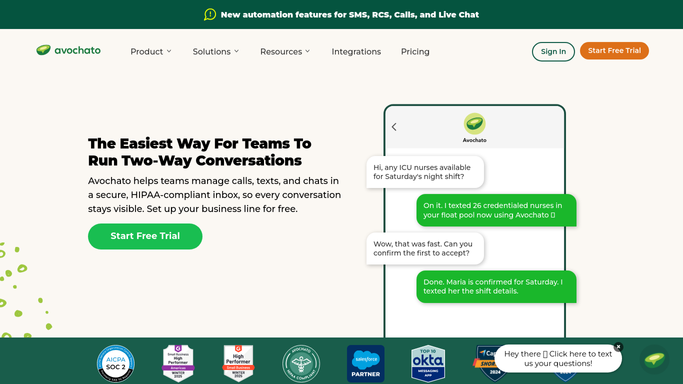


How do I make sure Avochato texts do not go unanswered?
WebRun checks Avochato every hour for inbound text threads left unanswered past your response window, logs each one to Airtable with the assigned rep, and adds a timestamped escalation note to Notion, so a customer text never sits without a reply simply because no one happened to notice it.
- Stale threads are caught within the hour they go overdue
- Escalation notes are timestamped for team visibility
- Answered threads drop off the worklist automatically
Built for retail teams · customer support · field service teams · small business owners
How is each run configured?
Secure by default
Connect once, stays signed in
WebRun signs in once and keeps each session in a persistent environment, so every run picks up right where it left off.
Every action is checked against this policy before it runs.
Questions, answered
Does WebRun reply to the customer text?
No. It only tracks how long a thread has gone unanswered and escalates it internally. Any reply to the customer is sent by your team from Avochato directly.
What counts as the response window?
Whatever you set as acceptable, for example 2 business hours. Only threads still open past that window get logged and escalated.
What happens once a rep replies?
The next hourly check sees the reply logged in Avochato and the thread drops off the stale worklist, so it only ever shows threads genuinely still open.
Related templates
Put this on autopilot.
Turn it on in minutes - or have our team set it up for you.