Keep your texting list clean after every broadcast
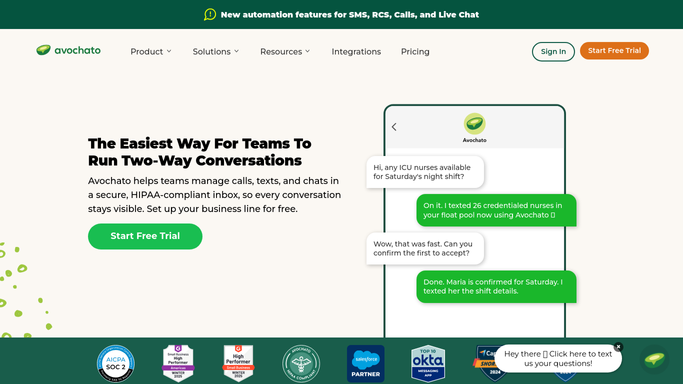
Every Monday, WebRun opens Avochato, reviews last week's broadcasts for stop keyword opt-outs and failed deliveries, writes each contact and its tags to a Google Sheet, and sends you a Telegram summary of who must be excluded from the next send.
- 7-day free trial
- Under $0.01 per run
- Cancel anytime

What does WebRun do on every run?
The exact actions WebRun takes, in order - in plain language, so you can adjust anything.
-
WebRun signs in and gets to work
Opens
avochato.comin a real browser with your saved login - no setup, no API keys. -
1
Avochato - collect opt-outs and failed sends
avochato.com

WebRun opens Avochato to collect opt-outs and failed sends. - Open Avochato and list the broadcasts sent in the last seven days
- Read the delivery status on each send and capture the failures
- Find contacts who replied with a stop keyword and record the date
- Note which tags each opted-out contact still carries
- Never edit or delete a contact. WebRun reads and reports only
Done when Every opt-out and failed send from last week's broadcasts is captured with its contact and tags.
-
2
Google Sheets - log the exclusion list
google.com How to Automate Google Sheets
WebRun opens Google Sheets to log the exclusion list. - Append a row per contact with the phone number, the reason, the date, and the tags
- Keep opt-outs and failed sends on separate tabs so they read cleanly
- Highlight any tag that still contains an opted-out contact
Done when The sheet holds a dated, complete exclusion list for the next broadcast.
-
3
Telegram - brief you before the next broadcast
telegram.org How to Automate Telegram
WebRun opens Telegram to brief you before the next broadcast. - Send a short Telegram summary with the opt-out count and the failed send count
- Name the tags that still need cleaning before the next broadcast
- Link back to the sheet for the full list
Done when You know what to exclude before the next broadcast goes out.

How do I keep opt-outs out of my next SMS broadcast?
WebRun sweeps your Avochato broadcasts every Monday. It collects the contacts who opted out with a stop keyword and every message that failed to deliver, writes them to a Google Sheet with the tags they still belong to, and sends you a Telegram summary before your next broadcast goes out.
- Opt-outs are excluded before the next broadcast, not after a complaint
- Undeliverable numbers get cleaned out of the list weekly
- One sheet holds the full opt-out record if anyone asks for it
Built for operations leads · SMS marketers · customer support teams · local service businesses
How is each run configured?
Secure by default
Connect once, stays signed in
WebRun signs in once and keeps each session in a persistent environment, so every run picks up right where it left off.
Every action is checked against this policy before it runs.
Questions, answered
Will it text anyone or remove contacts by itself?
No. WebRun never sends a message and never deletes or edits a contact in Avochato. It reads broadcast results and writes an exclusion list, and you decide what to change.
How does it spot an opt-out?
It reads the replies on each broadcast for stop keywords and the opt-out status Avochato records, then matches that back to the contact and the tags the contact still sits in.
What counts as a failed send?
Any broadcast message whose delivery status did not reach delivered: undeliverable numbers, landlines, and carrier rejections. Those go on their own tab so you can clean bad numbers separately.
Related templates
Put this on autopilot.
Turn it on in minutes - or have our team set it up for you.