Turn contest results into next week's practice
Every Monday, WebRun opens AtCoder, reads the standings from the weekend's contest for each club member, records their placing, rating change, and the problems they did not solve, writes the recap into Google Drive, and logs each result in Airtable for the season history.
- No credit card
- Under $0.01 per run
- Cancel anytime
How do I recap AtCoder contest results for my programming club?
WebRun opens AtCoder every Monday and reads the weekend contest standings for each club member, recording their placing, rating change, and the problems they left unsolved. It writes the recap into Google Drive and logs the season history in Airtable, so the next practice session targets real weak spots.
- Every member's placing and rating change is recorded the day after
- Practice targets the problems the club actually missed
- A season long rating history builds without anyone maintaining it
Built for club coaches · university societies · computer science teachers · competitive programmers
What does WebRun do on every run?
The exact actions WebRun takes, in order - in plain language, so you can adjust anything.
-
WebRun signs in and gets to work
Opens
atcoder.jpin a real browser with your saved login - no setup, no API keys. -
1
AtCoder - read standings and rating changes
atcoder.jp
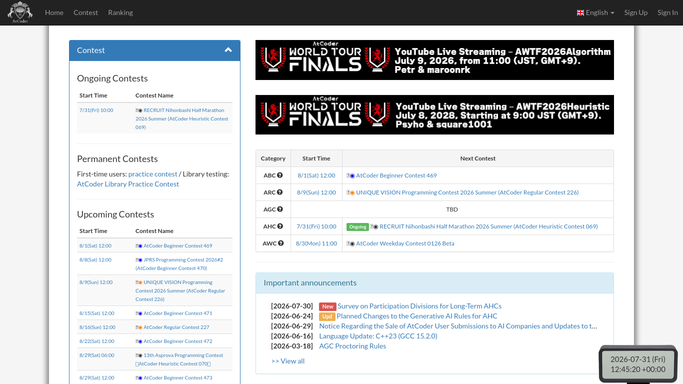
WebRun opens AtCoder to read standings and rating changes. - Open AtCoder and find the contest your club entered over the weekend
- For each member, read their placing in the standings and their rating change
- Record which problems they solved, how long each took, and which went unsolved
- Note the problems the whole club missed, since those are the practice topics
- Read the submission results so a failed attempt is distinguished from no attempt
Done when Every member has a placing, rating change, and list of unsolved problems.
-
2
Google Drive - write the club recap
drive.google.com How to Automate Google Drive

WebRun opens Google Drive to write the club recap. - Write this contest's recap document into the club folder in Drive
- Give each member a short section: placing, rating change, solved, and unsolved
- List the problems most of the club missed as the suggested practice set
- Keep one document per contest so the season reads in order
Done when The contest recap document is saved in the club Drive folder.
-
3
Airtable - log the season history
airtable.com How to Automate Airtable

WebRun opens Airtable to log the season history. - Add one row per member per contest with placing and rating change
- Track each member's rating across the season so progress is visible
- Tag the problem topics that keep going unsolved across contests
Done when This contest's results are in the season history table.
How is each run configured?
Secure by default
Connect once, stays signed in
WebRun signs in once and keeps each session in a persistent environment, so every run picks up right where it left off.
Every action is checked against this policy before it runs.
Questions, answered
Will it submit code or register anyone for a contest?
No. WebRun only reads public standings and submission results after the contest has finished. It never submits a solution, enters a contest, or posts to AtCoder on anyone's behalf.
Does it message the club members directly?
No. The recap is written into your club's Google Drive folder and the results go into your Airtable base. Sharing the document with members is a decision you make.
How does it pick the practice topics?
From the problems most of the club left unsolved. A problem several members failed or never attempted ranks above one that only one person missed, so the next session targets a real shared gap.
Related templates
Put this on autopilot.
Turn it on in minutes - or have our team set it up for you.