How to Automate Mydoma Studio
A Mydoma studio automates the money side in Mydoma: proposals become invoices in one action, Mydoma Pay takes card and ACH, purchase orders go straight to vendors. Once the team records each order's status, an AI agent like WebRun can flag late and stalled orders daily, draft backorder notes and Monday updates to clients, and keep a receiving log.
 Written by
Tom Kessler
Field operations analyst
Written by
Tom Kessler
Field operations analyst
 Reviewed by
Clara Bennett
Revenue operations
Reviewed by
Clara Bennett
Revenue operations
Mydoma Studio carries a room from design board to purchase order
An interior designer sells a room twice: first as an idea on a design board, then as forty separate pieces that have to be ordered, paid for, shipped, received and placed. Mydoma Studio is project software built for interior designers to run both halves, and since October 2025 it has been part of Studio Designer.
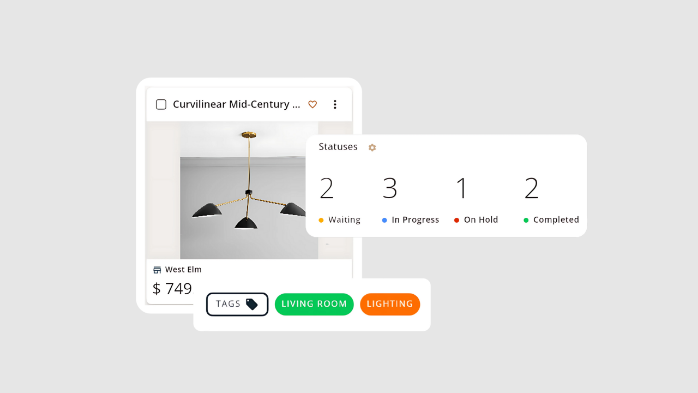
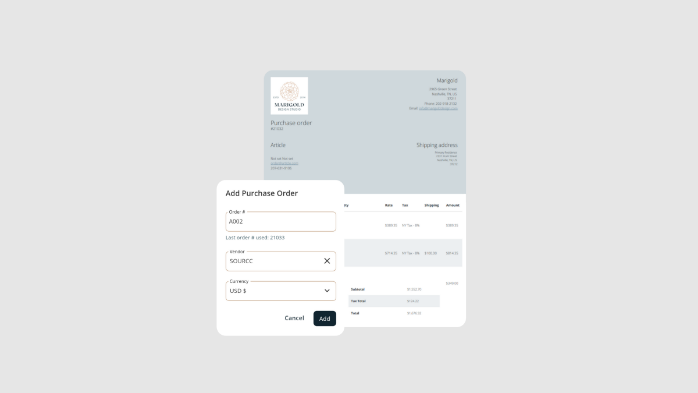
Products arrive through the web clipper and the mobile app, or from the Connected Catalog, whose brands now include Arhaus, Made Goods and Hinkley, and land on design boards the client reviews in a branded Client Portal, where the designer decides what shows, down to hiding pricing or filtering by room. An approved proposal becomes an invoice in one action, Mydoma Pay collects by card or ACH, and purchase orders go straight to the vendors.
FF&E tracking holds each item's status, lead time and budget, and paid invoices export to QuickBooks Online. Since July 2026 every firm can turn a design board into an AI rendering of the chosen products in a real room.
Procurement turns one approved room into forty separate shipments
Rugs come from one vendor, lighting from another and the art from a gallery that only answers the phone. Across eight active projects the design assistant has sixty open purchase orders, and the ones that matter today are the two past their expected delivery and the one nobody has touched in three weeks.
A client's sofa has been backordered until March. The client will ask on Friday where it is, and the designer would rather say so first, with the new date and the reason.
Each Monday every active client is owed a note on last week's progress and the decisions still waiting on them. Meanwhile pieces arrive at the receiving warehouse, and a cracked lamp base or a short count has to be logged before anyone files a claim with the vendor.
Every Mydoma order status is set by someone on the team
Purchase orders go to vendors straight from Mydoma, and each one carries a status the team updates as the order moves. Contracts are signed digitally, billable hours are logged on the web or a phone, and custom project statuses, tags and tasks with dependencies keep the rest of the project in order.
On the client side, the Client Portal shares presentations, collects approvals and invoice payments, and keeps the messages. Since the June 2026 release, owners and editors are notified when something in a shared folder is unapproved.
Those records reflect what the team has entered. A vendor's new ship date reaches Mydoma when the assistant types it in, a backorder becomes a status when someone changes it, and the note telling a client that the sofa has slipped to March is the designer's to write. Finding the order that has gone three weeks without an update takes a look through every open order. A small studio that walks through its open orders each morning may need little more.
Late and stalled orders surface at eight, backorders by half past
The design assistant reads the procurement digest in the project channel at eight: every open purchase order grouped by project, with the problem orders on top, anything past its expected delivery date and anything with no status change in more than seven days. The procurement sheet carries the same list with today's status beside each line.
Half an hour later, each client with a backordered or delayed item has one email waiting in the designer's Gmail drafts, naming the piece, the reason and the revised date, with several items for the same client gathered into a single note. The Slack alert lists them all with their new dates.
On Monday at 7:30 the designer reads a progress note for each active client: what was finished last week, what comes next and the decisions waiting on the client, plus any order that shipped or was confirmed. A project with nothing done that week gets no note.
At nine, items marked received or delivered in the last day go into the receiving and damage log. The log flags anything with a damage note or a short count as INSPECT, and the Slack post names its vendor and project; a quiet day gets a one-line count instead.
The order statuses your team sets are what WebRun reads
Mydoma's Orders section is the only place these jobs look, so a status the assistant changes at four o'clock shows in the next morning's digest. WebRun is an AI agent that works a real Chrome browser, signed in as you. Its Mydoma login covers the studio's projects and orders, and outside Mydoma its writing goes into the procurement sheet, the receiving log, Slack and the designer's drafts.
The designer sends every client note, and the studio files any claim with the vendor itself. These jobs read the statuses the team sets, so an assistant who updates each order the day the vendor writes keeps every list accurate.
Questions people ask
Does it read vendor acknowledgments or trade portals?
No. It works from the status and expected delivery date your team records on each order in Mydoma, so an acknowledgment or a new ship date reaches these jobs once someone enters it.
What happens when a backordered piece finally ships?
It drops out. The order status is read fresh each morning, and once an item is no longer backordered or delayed it leaves the alert and gets no client note.
Where do the damage notes in the receiving log come from?
From your team's updates in Mydoma. The log picks up the condition notes on orders marked received or delivered in the last day and flags damage or a short count as INSPECT. Notes you add to the sheet by hand are never overwritten.
Sources
- Invoice & Orders - Mydoma Studio Mydoma's page on turning proposals into invoices in one click, card and ACH payments, purchase orders sent directly to vendors, QuickBooks Online export and payment tracking.
- Product Sourcing & Curation - Mydoma Studio Describes the web clipper and mobile app for building a product library, vendor details and pricing, and FF&E tracking of each item's status, lead time and budget.
- Press - Mydoma Studio Mydoma's press page, dated October 15, 2025: Studio Designer acquired Mydoma.
- Mydoma June 2026 Release Release notes describing the Connected Catalog and its new brands, including Arhaus, Made Goods, Hinkley and Troy Lighting, and approval notifications for teams.
- Mydoma July 2026 Release AI Rendering on Design Boards, turning the real products on a board into a photorealistic room rendering, is now live for every Mydoma firm.
- Client Portal - Mydoma Studio Clients review presentations, approve, pay invoices and message in the portal; designers decide what clients see, including hiding pricing or filtering by room or product.
- Project Management - Mydoma Studio Contracts signed digitally, billable hours logged on web or mobile, tasks with deadlines and dependencies, and custom project statuses and tags.
4 ready-made Mydoma Studio workflows
Each one names the apps it touches and the exact steps it takes. Open one to read what it will do, then turn it on.


Want one of these running on your own Mydoma Studio?
Show WebRun the process once and it will run it on schedule, in your own private browser environment.