Log receiving and damage inspections without the paperwork
Every morning, WebRun checks Mydoma Studio for orders recently marked as received, updates the receiving and damage inspection log in Google Sheets with each item's arrival status, and posts a Slack alert for any items that have a damage note or discrepancy so your team can act before unpacking continues.
- No credit card
- Under $0.01 per run
- Cancel anytime
What does WebRun do on every run?
The exact actions WebRun takes, in order - in plain language, so you can adjust anything.
-
WebRun signs in and gets to work
Opens
app.mydomastudio.comin a real browser with your saved login - no setup, no API keys. -
1
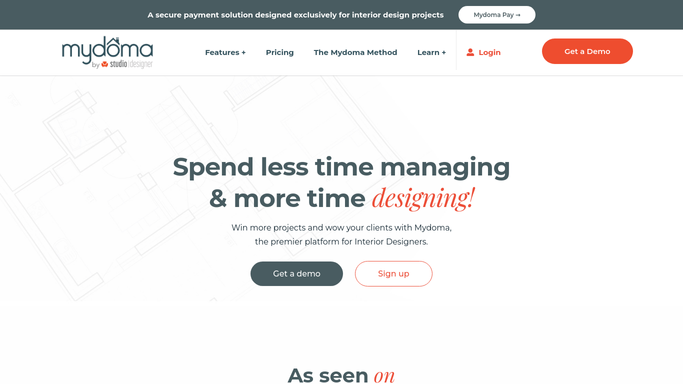
Mydoma Studio - check recently received orders
mydomastudio.com How to Automate Mydoma Studio

WebRun opens Mydoma Studio to check recently received orders. - Open Mydoma Studio and navigate to the Orders section
- Filter to orders that have been updated to a received or delivered status in the last 24 hours
- Note the item name, vendor, project, received date, and any condition notes or discrepancy flags
Done when Every order received in the past 24 hours is captured with its arrival status and any condition notes.
-
2
Google Sheets - update receiving and damage log
google.com How to Automate Google Sheets
WebRun opens Google Sheets to update receiving and damage log. - Open the receiving and damage inspection Google Sheet
- Add a row for each received item with the item name, vendor, project, received date, and condition status
- Mark items with damage notes or quantity discrepancies with a clear flag such as INSPECT in the status column
Done when The receiving log is updated with every item received in the past 24 hours, with damage and discrepancy flags applied.
-
3
Slack - alert team to damage or discrepancies
slack.com How to Automate Slack
WebRun opens Slack to alert team to damage or discrepancies. - Post a Slack alert listing any items flagged for damage or discrepancy with the item name, vendor, project, and the specific note
- If there are no flagged items, post a brief daily receiving confirmation noting how many items arrived today with no issues
Done when Your team has a Slack notification covering today's received items, with damage or discrepancy cases clearly surfaced.


How do I automatically log receiving and damage inspections for interior design orders?
WebRun checks Mydoma Studio every morning for orders marked as received in the past 24 hours, adds each item to the receiving and damage inspection log in Google Sheets, and flags any damage notes or quantity discrepancies with a Slack alert so your team can act before the issue gets worse. Clean deliveries are confirmed in Slack with a brief daily summary.
- Every received item is logged in Google Sheets the same morning it arrives
- Damage and discrepancy cases are surfaced in Slack before they are missed
- Your team spends less time on manual receiving paperwork across all active projects
Built for interior designers managing deliveries · interior design project managers · design studio receiving coordinators · FF&E procurement teams
How is each run configured?
Secure by default
Connect once, stays signed in
WebRun signs in once and keeps each session in a persistent environment, so every run picks up right where it left off.
Every action is checked against this policy before it runs.
Questions, answered
Does it contact vendors about damaged items automatically?
No. WebRun flags damaged or discrepant items in Slack and the Google Sheet for your team to review. Any vendor claim or replacement request is handled by you.
How does WebRun know when an item has been received?
It checks Mydoma Studio each morning for orders whose status has been updated to received or delivered in the past 24 hours. Your team updates the order status in Mydoma Studio when items arrive.
Can we add our own condition notes to the log?
Yes. The Google Sheet is a live document your team can edit freely. WebRun appends new rows each morning but never overwrites existing entries or notes you have added manually.
Related templates
Put this on autopilot.
Turn it on in minutes - or have our team set it up for you.