Flag Amazon refund exceptions that look like abuse before they cost you money
Every morning, WebRun opens Amazon Seller Central to review refunds and returns processed in the last 24 hours, cross-checks them against Helium 10 order and inventory data to identify anomalies such as refunds without a returned item, multiple refunds from the same buyer, or refunds on orders that have not shipped, and posts a flagged exception list to Slack for your team to investigate.
- No credit card
- Under $0.01 per run
- Cancel anytime
 Amazon Seller Central
pull new refunds and returns from the last 24 hours
Amazon Seller Central
pull new refunds and returns from the last 24 hours
What does WebRun do on every run?
The exact actions WebRun takes, in order - in plain language, so you can adjust anything.
-
WebRun signs in and gets to work
Opens
sell.amazon.comin a real browser with your saved login - no setup, no API keys. -
1
Amazon Seller Central - pull new refunds and returns from the last 24 hours

WebRun opens Amazon Seller Central to pull new refunds and returns from the last 24 hours. - Open Seller Central and navigate to Returns under Orders, then Manage Returns
- Filter for returns and refunds processed in the last 24 hours
- Capture order ID, ASIN, refund amount, return reason, and whether the item has been returned to inventory
- Flag any refund where the return status shows Refunded but item not yet received
Done when All refunds from the last 24 hours are listed with return status and refund amount.
-
2
Helium 10 - cross-check order and inventory data for anomalies
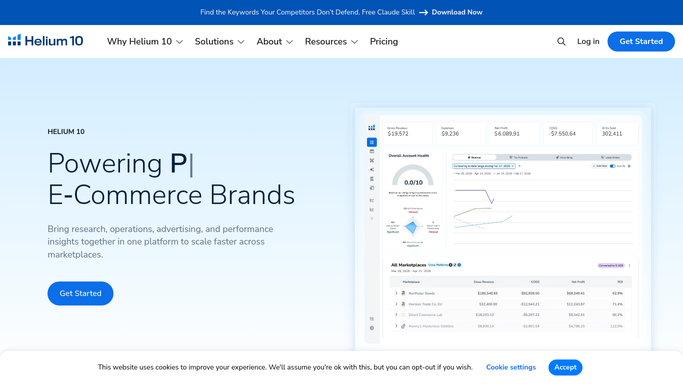
helium10.com How to Automate Helium 10
WebRun opens Helium 10 to cross-check order and inventory data for anomalies. - Open Helium 10 Alerts and check for any return-related notifications on the flagged ASINs
- Cross-reference the refund list with Helium 10 Profits to note the refund's impact on each ASIN's net revenue for the day
- Flag any ASIN with a refund rate above 5 percent in the last 7 days as a pattern worth investigating
Done when Anomalies and high-refund-rate ASINs are identified and cross-checked.
-
3
Slack - post the refund exception triage list
slack.com How to Automate Slack
WebRun opens Slack to post the refund exception triage list. - Post the refund exception triage list to your operations Slack channel
- Lead with any refunds where the item has not been returned to inventory (potential return abuse)
- List any buyer with more than one refund in the past 30 days
- Flag any ASIN with a 7-day refund rate above 5 percent
- Include the order ID and refund amount for each exception so your team can investigate in Seller Central
Done when Flagged refund exceptions with order details are posted to Slack for triage.


How do I automatically flag Amazon refund abuse and exceptions every day?
WebRun reviews all Amazon refunds from the past 24 hours in Seller Central each morning, cross-checks order and inventory data in Helium 10, and posts a Slack triage list flagging refunds where items were not returned, buyers with multiple refunds, and ASINs with elevated refund rates so your team can investigate and dispute before losses accumulate.
- Refund exceptions are surfaced daily before patterns grow into significant losses
- Return-without-item cases are flagged so reimbursement claims can be filed promptly
- ASINs with elevated refund rates are identified so root-cause issues can be fixed
Built for Amazon FBA sellers · Amazon FBM sellers · high-volume Amazon brands · ecommerce operations and finance teams
How is each run configured?
Secure by default
Connect once, stays signed in
WebRun signs in once and keeps each session in a persistent environment, so every run picks up right where it left off.
Amazon Seller Central
Sign in once
Every action is checked against this policy before it runs.
Questions, answered
Will it submit disputes or contact buyers automatically?
No. WebRun posts the exception list to Slack for your team to review. Any dispute filed with Amazon or contact with a buyer about a refund is handled by a human after reviewing the flagged details.
What counts as a refund exception?
WebRun flags three patterns: refunds where the item has not yet been returned to inventory, buyers who have submitted more than one refund in the past 30 days, and ASINs with a 7-day refund rate above 5 percent. You can adjust these thresholds in the run settings.
Can it catch FBA reimbursement shortfalls related to returns?
Yes. If a returned item is refunded by Amazon but never credited back to your inventory or reimbursed, WebRun flags that gap in the triage list. You can then open a case in Seller Central to claim the reimbursement.
Related templates
Amazon Seller Central›Amazon Seller Central›Amazon Seller Central›Put this on autopilot.
Turn it on in minutes - or have our team set it up for you.