Roll out Amazon price changes safely with a pre-flight checklist every time
When you trigger a price-change review run, WebRun opens Helium 10 Xray and Amazon Seller Central to check current Buy Box prices, competitor offers, and your net margin at the proposed new price for each ASIN, then logs a pre-flight checklist to Google Sheets showing whether each price change is safe, risky, or requires manual override before going live.
- No credit card
- Under $0.01 per run
- Cancel anytime
 Amazon Seller Central
verify current Buy Box price and account pricing health
Amazon Seller Central
verify current Buy Box price and account pricing health
What does WebRun do on every run?
The exact actions WebRun takes, in order - in plain language, so you can adjust anything.
-
WebRun signs in and gets to work
Opens
helium10.com/tools/xrayin a real browser with your saved login - no setup, no API keys. -
1
Helium 10 - check competitor prices and Buy Box threshold via Xray
helium10.com How to Automate Helium 10

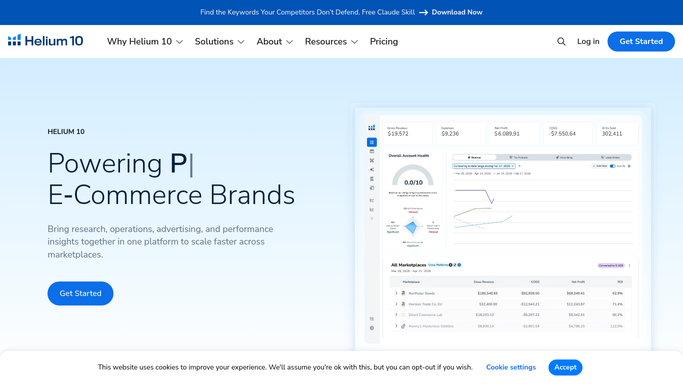
WebRun opens Helium 10 to check competitor prices and Buy Box threshold via Xray. - Open Helium 10 and use Xray to pull the current Buy Box price and the range of competing offer prices for each ASIN in the planned price change
- Calculate the estimated net margin at the proposed new price using the Profits tool
- Flag any ASIN where the new price would push margin below 15 percent or below the Buy Box threshold
Done when Competitor price context and margin at new price are captured for every ASIN.
-
2
Amazon Seller Central - verify current Buy Box price and account pricing health
WebRun opens Amazon Seller Central to verify current Buy Box price and account pricing health. - Open Seller Central and check Manage Pricing for each ASIN
- Confirm current Buy Box ownership status and note whether any ASIN has an active pricing rule or Automate Pricing rule that could conflict
- Check for any Sold by Amazon or Amazon Retail offers that would undercut the new price immediately
Done when Buy Box status and pricing rule conflicts are confirmed for every ASIN.
-
3
Google Sheets - log the pre-flight checklist with Safe, Risky, or Manual Override status for each ASIN
google.com How to Automate Google Sheets
WebRun opens Google Sheets to log the pre-flight checklist with Safe, Risky, or Manual Override status for each ASIN. - Log each ASIN to the price-change checklist sheet with current price, proposed new price, competitor Buy Box price, estimated margin at new price, and a status of Safe, Risky, or Manual Override
- Mark an ASIN as Risky if the new price would lose the Buy Box or reduce margin below threshold
- Mark an ASIN as Manual Override if there is an active Automate Pricing rule or a conflicting Amazon Retail offer
- Do not make any price changes in Seller Central during this run
Done when Every ASIN in the planned change is logged with a pre-flight status and no prices have been changed.


How do I check if my Amazon price changes are safe before rolling them out?
WebRun runs a pre-flight check for planned Amazon price changes by pulling competitor Buy Box prices and margin estimates from Helium 10 Xray and Profits, reviewing pricing rules and Buy Box status in Seller Central, and logging a Safe, Risky, or Manual Override status for every ASIN in Google Sheets before any price goes live.
- Every price change is checked for Buy Box risk and margin impact before going live
- Conflicting pricing rules and Amazon Retail offers are flagged before they cause a problem
- The checklist gives your team a clear approve-or-hold decision for each ASIN
Built for Amazon FBA sellers · private-label brand owners · Amazon pricing managers · ecommerce operations teams
How is each run configured?
Secure by default
Connect once, stays signed in
WebRun signs in once and keeps each session in a persistent environment, so every run picks up right where it left off.
Amazon Seller Central
Sign in once
Every action is checked against this policy before it runs.
Questions, answered
Will it actually change any prices in Amazon Seller Central?
No. WebRun is read-only for this workflow. It builds the pre-flight checklist and flags risks, but all price changes are applied manually in Seller Central by a human after reviewing the checklist.
What does a Manual Override status mean?
Manual Override means WebRun detected a conflict that needs human judgment before the price change can proceed, such as an active Automate Pricing rule or an Amazon Retail offer that would undercut the new price immediately.
How does it know what margin to use?
It uses Helium 10 Profits to estimate net margin at the proposed price, accounting for FBA fees, referral fees, and your cost of goods as entered in Helium 10. You can update your COGS in Helium 10 at any time to keep the margin calculations accurate.
Related templates
Amazon Seller Central›Amazon Seller Central›Amazon Seller Central›Put this on autopilot.
Turn it on in minutes - or have our team set it up for you.