Keep your Amazon PPC spend on track with a daily budget pacing digest
Every morning, WebRun opens Helium 10 Ads and Amazon Seller Central's Campaign Manager, calculates your month-to-date PPC spend against your monthly budget, and posts a pacing digest to Slack showing each campaign's burn rate, projected end-of-month spend, and whether any campaign needs a budget adjustment today.
- No credit card
- Under $0.01 per run
- Cancel anytime
 Amazon Seller Central
confirm live campaign budgets and spend to date in Campaign Manager
Amazon Seller Central
confirm live campaign budgets and spend to date in Campaign Manager
What does WebRun do on every run?
The exact actions WebRun takes, in order - in plain language, so you can adjust anything.
-
WebRun signs in and gets to work
Opens
helium10.com/adsin a real browser with your saved login - no setup, no API keys. -
1
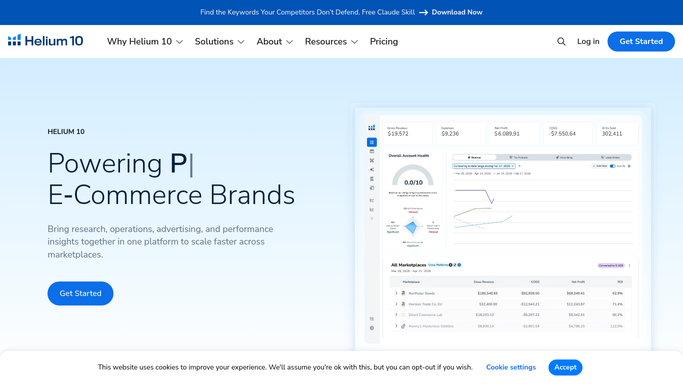
Helium 10 - pull campaign spend and ACOS data from Helium 10 Ads
helium10.com How to Automate Helium 10

WebRun opens Helium 10 to pull campaign spend and ACOS data from Helium 10 Ads. - Open Helium 10 and navigate to Helium 10 Ads
- Pull month-to-date spend, clicks, and ACOS for each active Sponsored Products and Sponsored Brands campaign
- Calculate the daily run rate and project end-of-month spend at that rate
- Flag any campaign that is on track to exceed its budget or underspend by more than 20 percent
Done when Month-to-date spend and projected end-of-month figures are captured for every active campaign.
-
2
Amazon Seller Central - confirm live campaign budgets and spend to date in Campaign Manager
WebRun opens Amazon Seller Central to confirm live campaign budgets and spend to date in Campaign Manager. - Open Seller Central and go to Campaign Manager under Advertising
- Confirm each campaign's current daily budget and total month-to-date spend
- Note any campaign paused or limited by budget in the last 24 hours
Done when Live campaign budgets and any pause events are confirmed for all active campaigns.
-
3
Slack - post the daily PPC pacing digest
slack.com How to Automate Slack
WebRun opens Slack to post the daily PPC pacing digest. - Post the daily PPC pacing digest to your advertising Slack channel
- List each campaign with its month-to-date spend, projected end-of-month total, and a pacing status of On Track, Over Pacing, or Under Pacing
- Flag the top two campaigns needing a budget change today and suggest the adjustment amount
Done when Full pacing digest with pacing status for every campaign is posted to Slack.


How do I automatically track my Amazon PPC budget pacing every day?
WebRun opens Helium 10 Ads and Amazon Campaign Manager every morning, calculates each active campaign's month-to-date spend against its monthly budget, and posts a Slack digest showing burn rate, projected end-of-month spend, and pacing status for every campaign so you can make budget calls before midday.
- Budget overspend and underspend are caught every morning before the day's spend accumulates
- Every campaign's pacing status is visible in one Slack message without logging into Campaign Manager
- Budget adjustment suggestions are ready so decisions take seconds, not a spreadsheet session
Built for Amazon PPC managers · FBA brand owners · Amazon advertising agencies · ecommerce growth teams
How is each run configured?
Secure by default
Connect once, stays signed in
WebRun signs in once and keeps each session in a persistent environment, so every run picks up right where it left off.
Amazon Seller Central
Sign in once
Every action is checked against this policy before it runs.
Questions, answered
Will it change campaign budgets or bids automatically?
No. WebRun posts the pacing digest and flags which campaigns need adjustment, but all budget and bid changes are made by a human in Campaign Manager or Helium 10 Ads.
Which campaign types does it cover?
It covers Sponsored Products, Sponsored Brands, and Sponsored Display campaigns that are active in your account, pulling data from both Helium 10 Ads and Amazon Campaign Manager.
What does Over Pacing or Under Pacing mean in the digest?
Over Pacing means the campaign is spending faster than its monthly budget can sustain and is projected to run out before month end. Under Pacing means spend is too low relative to the budget and you may be leaving impressions on the table.
Related templates
Amazon Seller Central›Amazon Seller Central›Amazon Seller Central›Put this on autopilot.
Turn it on in minutes - or have our team set it up for you.