Automated Aloware Call Follow-Up Coverage Checks
Every morning, WebRun opens Aloware, reviews yesterday's connected calls, checks each contact for a follow-up task, a booked meeting, or an active sequence, opens a Trello card for the ones left with nothing, and posts the coverage list to Slack by rep.
How do I find sales calls that ended without a next step booked?
WebRun checks follow-up coverage every morning. It opens Aloware, reviews yesterday's connected calls, finds the contacts left with no task, callback, or sequence, opens a Trello card for each, and posts a Slack list by rep so warm leads get picked back up today.
- Warm conversations get a next step within a day
- Coverage is broken down by rep, not just by total calls
- Longest conversations are prioritised at the top of the board
Built for sales managers · inside sales teams · call centers · SDR teams
What does WebRun do on every run?
The exact actions WebRun takes, in order - in plain language, so you can adjust anything.
-
WebRun signs in and gets to work
Opens
aloware.comin a real browser with your saved login - no setup, no API keys. -
1
Aloware - review yesterday's connected calls
aloware.com
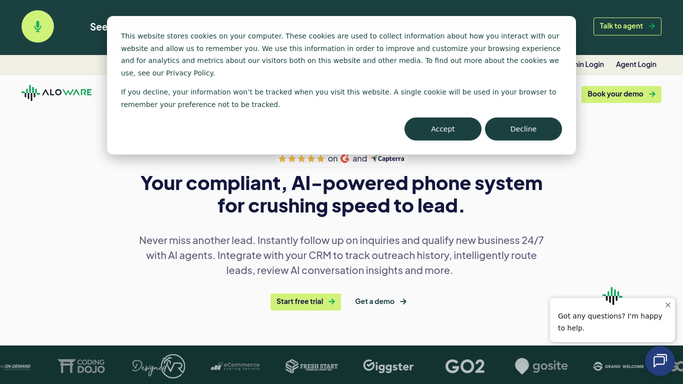
WebRun opens Aloware to review yesterday's connected calls. - Open Aloware and list yesterday's calls that actually connected, with the agent and duration
- Read the disposition logged on each call and the contact it belongs to
- Check each contact for a follow-up task, a scheduled callback, or an active sequence
- Flag connected calls where the contact has no next step of any kind
Done when Every connected call from yesterday is marked as covered or uncovered.
-
2
Trello - open a card per uncovered lead
trello.com

WebRun opens Trello to open a card per uncovered lead. - Open a Trello card for each uncovered contact with the agent, call time, and disposition
- Put the longest conversations first, since those are the warmest leads
- Leave the card for the rep to action. WebRun never calls, texts, or emails a contact
Done when Every uncovered lead from yesterday has a Trello card assigned to its rep.
-
3
Slack - post coverage by rep
slack.com

WebRun opens Slack to post coverage by rep. - Post the coverage list to your sales channel, grouped by rep
- Show connected calls, how many have a next step, and how many do not
- Name the contacts to pick back up today so nothing needs looking up
Done when The sales team has this morning's coverage list in Slack.
How is each run configured?
Secure by default
Connect once, stays signed in
WebRun signs in once and keeps each session in a persistent environment, so every run picks up right where it left off.
Every action is checked against this policy before it runs.
Questions, answered
Will it call or text the contacts itself?
No. WebRun opens a Trello card and posts an internal Slack list for your reps. Every call, text, and email to a contact is made by a person.
What counts as a covered call?
A connected call where the contact has a follow-up task, a scheduled callback, or an active sequence in Aloware. Anything else is treated as uncovered and gets a card.
Does it include calls that never connected?
No. It only looks at conversations that actually happened, so voicemail and unanswered attempts do not clutter the coverage list.
Related templates
Put this on autopilot.
Turn it on in minutes - or have our team set it up for you.