Get tomorrow's practice questions picked for you
Every morning, WebRun opens AlgoExpert, reads which questions you have completed and which categories you have covered least, picks three unsolved questions at the right difficulty, posts the queue to your study channel in Microsoft Teams, and sends the same short list to Telegram.
- No credit card
- Under $0.01 per run
- Cancel anytime
How do I get a daily coding interview practice list picked for me?
WebRun picks your interview practice every morning. It reads your completed AlgoExpert questions, finds the categories you have covered least, chooses three unsolved questions at the right difficulty, and sends the queue to Microsoft Teams and Telegram, so prep time goes into solving rather than choosing.
- A ready list of three questions waits every morning
- Weak categories get picked first instead of being avoided
- Unfinished questions carry over so no day is lost
Built for software engineering candidates · bootcamp students · computer science students · interview prep groups
What does WebRun do on every run?
The exact actions WebRun takes, in order - in plain language, so you can adjust anything.
-
WebRun signs in and gets to work
Opens
www.algoexpert.ioin a real browser with your saved login - no setup, no API keys. -
1
AlgoExpert - read progress and pick questions
algoexpert.io
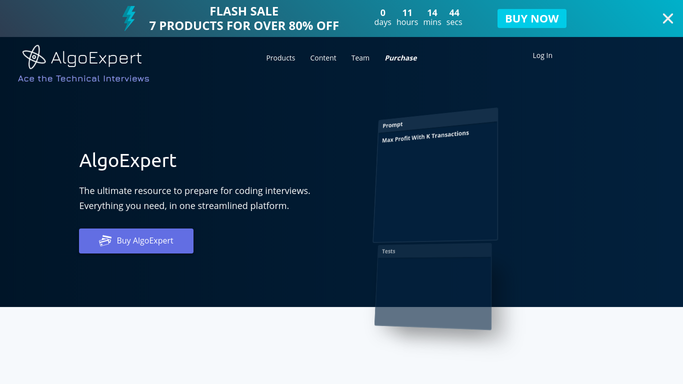
WebRun opens AlgoExpert to read progress and pick questions. - Open AlgoExpert and read your completed questions across all categories
- Count how many you have solved in each category to find the least covered ones
- Pick three unsolved questions from the weakest categories, at the difficulty mix you set
- Capture the question name, category, and difficulty for each
- Read only. Never mark a question complete on your behalf
Done when Three unsolved questions are chosen from your least covered categories.
-
2
Microsoft Teams - post the study queue
microsoft.com How to Automate Microsoft Teams

WebRun opens Microsoft Teams to post the study queue. - Post today's three questions to your study channel with category and difficulty
- Add a line on why each was picked, naming the category you have covered least
- Include yesterday's queue and whether those questions are now marked complete
- Keep the post short enough to read before opening the laptop
Done when Today's queue is posted with the reason behind each pick.
-
3
Telegram - send the queue to your phone
telegram.org How to Automate Telegram

WebRun opens Telegram to send the queue to your phone. - Send the same three questions to your Telegram, one line each
- Include the running count of questions completed this week
- Note the category that is still furthest behind, so long-term gaps stay visible
Done when The queue is on your phone before you start work.
How is each run configured?
Secure by default
Connect once, stays signed in
WebRun signs in once and keeps each session in a persistent environment, so every run picks up right where it left off.
Every action is checked against this policy before it runs.
Questions, answered
Will it solve or mark questions for me?
No. WebRun only reads your progress and picks what to work on next. It never opens a solution, submits code, or marks a question complete, so your progress stays honest.
How does it choose the three questions?
It counts your completed questions per category, finds the ones you have covered least, and picks unsolved questions from those at the difficulty mix you set, so weak areas get attention first.
What if I did not finish yesterday's queue?
Unfinished questions carry over into today's list before new ones are added, so a skipped day does not leave a gap in the plan.
Related templates
Put this on autopilot.
Turn it on in minutes - or have our team set it up for you.