Archive your Akiflow day plan and draft a priority text
Every morning, WebRun opens Akiflow, reads how today's tasks have been time-blocked across your calendars and lists, saves a dated copy of the day plan into Google Drive, and drafts a short Twilio text naming your top three priorities, left ready for you to review and send to your own phone.
- No credit card
- Under $0.01 per run
- Cancel anytime
How do I get a daily summary of my Akiflow priorities and keep a record of each plan?
Every morning, WebRun reads how Akiflow has time-blocked today's tasks, saves a dated copy of the plan to Google Drive, and drafts a short Twilio text naming your top three priorities and anything carried over from yesterday. Nothing sends automatically, so you start the day with an archived plan and a ready reminder you control.
- Every day's plan is archived automatically for later review
- Top priorities are drafted before the day's first task starts
- Carried-over tasks get flagged instead of quietly piling up
Built for Founders and solo operators · consultants · freelancers · knowledge workers
What does WebRun do on every run?
The exact actions WebRun takes, in order - in plain language, so you can adjust anything.
-
WebRun signs in and gets to work
Opens
akiflow.comin a real browser with your saved login - no setup, no API keys. -
1
Akiflow - read today's time-blocked tasks
akiflow.com
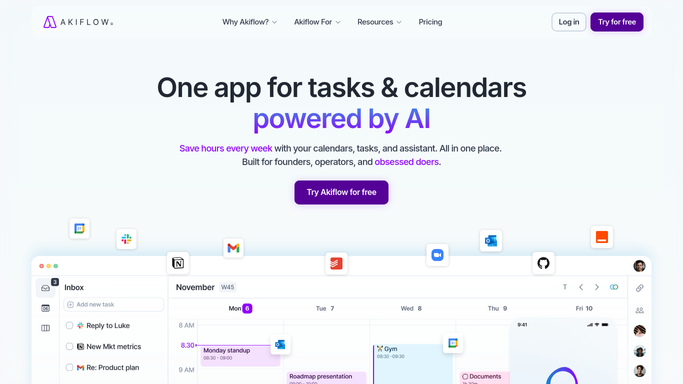
WebRun opens Akiflow to read today's time-blocked tasks. - Open Akiflow and read today's time-blocked schedule
- Note total tasks planned and how many carried over from yesterday
- Identify the top three tasks by priority
Done when Today's full time-blocked plan and top priorities are captured.
-
2
Google Drive - archive the day plan
drive.google.com How to Automate Google Drive

WebRun opens Google Drive to archive the day plan. - Open the daily plans folder
- Save today's plan with the date in the filename
- Confirm the file uploaded before moving on
Done when Today's plan is saved and named in Drive.
-
3
Twilio - draft a priority text
twilio.com How to Automate Twilio

WebRun opens Twilio to draft a priority text. - Draft a short text listing the top three priorities for the day
- Note how many tasks carried over from yesterday
- Queue the draft for you. WebRun never sends the text itself
Done when A drafted priority text is waiting for your review.
How is each run configured?
Secure by default
Connect once, stays signed in
WebRun signs in once and keeps each session in a persistent environment, so every run picks up right where it left off.
Every action is checked against this policy before it runs.
Questions, answered
Will the text send to my phone automatically?
No. WebRun only drafts it in Twilio. You review and send it yourself, so nothing lands on your phone without your say.
Does it change how Akiflow has time-blocked my day?
No. It only reads the existing plan and reports it. Rearranging or re-prioritizing tasks stays inside Akiflow, done by you.
Why keep a saved plan in Drive if Akiflow already has it?
It gives you a dated, searchable history of your actual daily plans over time, which is useful for reviewing how your weeks really went.
Related templates
Put this on autopilot.
Turn it on in minutes - or have our team set it up for you.