Know what each project costs before the invoice arrives
Every Monday, WebRun opens the Aiven console, reads current charges by project, service, and plan across your billing groups, writes the breakdown into a Google Sheet beside last week's figures, and texts you when any project has jumped.
- No credit card
- Under $0.01 per run
- Cancel anytime
How do I see Aiven cost broken down by project each week?
WebRun opens the Aiven console every Monday and reads current charges by project, service, and service plan across your billing groups. It writes the breakdown into a Google Sheet beside last week's figures and drafts a Twilio text whenever a project's spend jumps past your threshold.
- Oversized services get resized before they hit the invoice
- Cost per project is readable without opening the console
- A spending jump gets a text the same Monday it appears
Built for engineering leads · platform teams · finance and ops · startup founders
What does WebRun do on every run?
The exact actions WebRun takes, in order - in plain language, so you can adjust anything.
-
WebRun signs in and gets to work
Opens
console.aiven.ioin a real browser with your saved login - no setup, no API keys. -
1
Aiven - read spend by project and plan
aiven.io
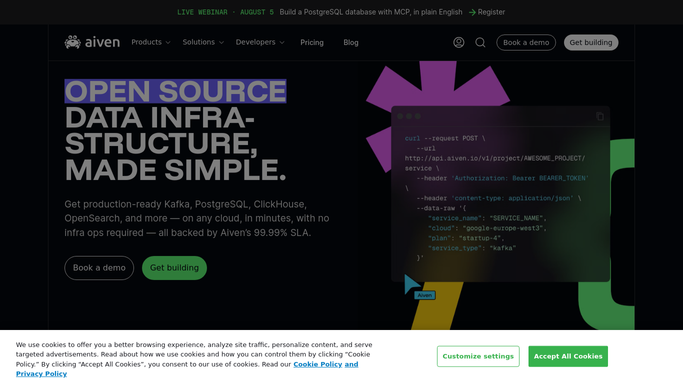
WebRun opens Aiven to read spend by project and plan. - Open the Aiven console and go to the billing view for each billing group
- Capture current charges by project, then by service and service plan inside each project
- Note any service that changed plan or was created since last week
Done when Every project has its running cost recorded by service and plan.
-
2
Google Sheets - build the cost breakdown
google.com How to Automate Google Sheets

WebRun opens Google Sheets to build the cost breakdown. - Add this week's column to the cost sheet, one row per project and service
- Show the change against last week beside each row
- Sort the biggest movers to the top and total the sheet by billing group
Done when The sheet shows this week's cost per project with the change on last week.
-
3
Twilio - text you when a project jumps
twilio.com How to Automate Twilio

WebRun opens Twilio to text you when a project jumps. - Draft a short text when a project rises past the percentage you set
- Name the project, the service behind the rise, and the new weekly figure
- Leave the text queued for you to release rather than sending it unattended
Done when A text is waiting whenever a project's spend jumps.
How is each run configured?
Secure by default
Connect once, stays signed in
WebRun signs in once and keeps each session in a persistent environment, so every run picks up right where it left off.
Every action is checked against this policy before it runs.
Questions, answered
Will it resize or delete a service to save money?
No. WebRun only reads the billing and service views in Aiven. Changing a plan, pausing a service, or deleting a test cluster stays a decision an engineer makes by hand.
Do I need to open the Aiven console to read this?
No. That is the point. The breakdown lands in a Google Sheet, so whoever signs the bill can read cost by project without touching a service dashboard.
How do I get told about a spike?
WebRun drafts a text through Twilio whenever a project rises past the percentage threshold you set, naming the project and the service behind it. You release the message yourself.
Related templates
Put this on autopilot.
Turn it on in minutes - or have our team set it up for you.