Chase the card spend that has no receipt
Every Monday, WebRun opens Airwallex, finds the employee card transactions that posted without a receipt attached, groups them by cardholder with the merchant, amount, and date, writes the list into Notion, and drafts a polite reminder per employee in Gmail for finance to send.
- No credit card
- Under $0.01 per run
- Cancel anytime
How do I chase employees for the missing receipts on company card spend?
WebRun reviews Airwallex employee card spend every Monday and finds the transactions that posted with no receipt attached. It groups them by cardholder with the merchant, amount, date, and days outstanding in Notion, and drafts a polite reminder per employee in Gmail for finance to approve and send before close.
- Month end close stops being a receipt scavenger hunt
- Every cardholder sees only their own outstanding items
- The unreceipted total has a number every Monday
Built for finance managers · bookkeepers · startup operations · controllers · office managers
What does WebRun do on every run?
The exact actions WebRun takes, in order - in plain language, so you can adjust anything.
-
WebRun signs in and gets to work
Opens
www.airwallex.comin a real browser with your saved login - no setup, no API keys. -
1
Airwallex - find transactions with no receipt
airwallex.com
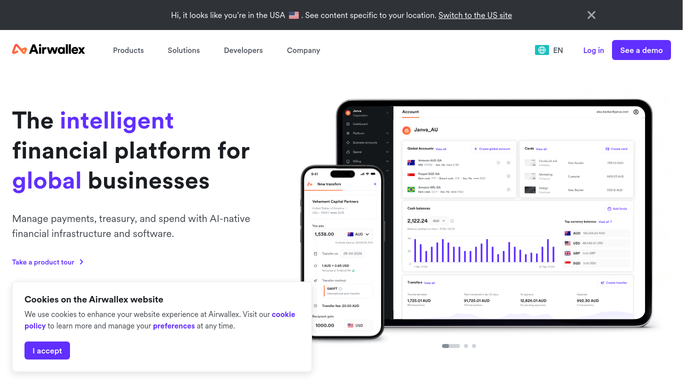
WebRun opens Airwallex to find transactions with no receipt. - Open Airwallex and list the employee card transactions posted since the last run
- Flag every transaction with no receipt attached and no expense note recorded
- Capture the cardholder, merchant, amount, currency, and transaction date for each
- Note how many days old each missing receipt is, and total the amount unreceipted per cardholder
- Read only. WebRun never moves funds, changes a spend limit, or freezes a card
Done when Every unreceipted transaction is listed with its cardholder, merchant, amount, and age.
-
2
Notion - group them by cardholder
notion.so How to Automate Notion

WebRun opens Notion to group them by cardholder. - Update your expenses page in Notion with one section per cardholder
- List each missing receipt with its merchant, amount, date, and days outstanding
- Show the total unreceipted amount per person and for the company
- Clear rows whose receipt has since been attached so the page stays true
Done when The Notion page shows this week's missing receipts grouped by cardholder.
-
3
Gmail - draft a reminder per employee
gmail.com How to Automate Gmail

WebRun opens Gmail to draft a reminder per employee. - Draft one polite reminder per employee listing only their own transactions
- Include the merchant, amount, and date for each so the receipt is easy to find
- Mention the close date so the request has a deadline rather than a nag
- Leave every email unsent. WebRun never emails a colleague on its own
Done when A reminder is drafted for every employee with a missing receipt, waiting on finance to send.
How is each run configured?
Secure by default
Connect once, stays signed in
WebRun signs in once and keeps each session in a persistent environment, so every run picks up right where it left off.
Every action is checked against this policy before it runs.
Questions, answered
Can it move money or change a card?
No. WebRun reads transactions and receipt status only. It never makes a payment, moves a balance, changes a spend limit, freezes a card, or opens payment credentials.
Will it email employees automatically?
No. Each reminder is left as an unsent Gmail draft for finance to review and send. Only the internal Notion page is written on its own.
Does everyone see everyone else's spend?
No. Each drafted email lists only that person's own transactions. The Notion page is grouped by cardholder for finance, who already has access to the card data.
Related templates
Put this on autopilot.
Turn it on in minutes - or have our team set it up for you.