Turn AidaForm callback requests into booked time
Every few minutes, WebRun checks AidaForm for new submissions requesting a callback, reads the preferred time and topic given, blocks a matching slot on the assigned rep's Google Calendar, and posts a Microsoft Teams alert so the rep knows to prepare and call at the time that's now on their calendar.
- No credit card
- Under $0.01 per run
- Cancel anytime
What does WebRun do on every run?
The exact actions WebRun takes, in order - in plain language, so you can adjust anything.
-
WebRun signs in and gets to work
Opens
aidaform.comin a real browser with your saved login - no setup, no API keys. -
1
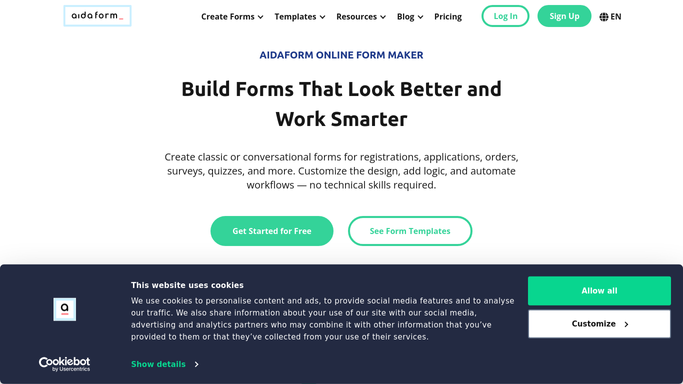
AidaForm - read new callback requests
aidaform.com

WebRun opens AidaForm to read new callback requests. - Open AidaForm and check submissions since the last run
- Read the requester's contact details, topic, and preferred time
- Match the request to the right rep
Done when Every new callback request since the last check has been read.
-
2
Google Calendar - hold the requested slot
calendar.google.com How to Automate Google Calendar
WebRun opens Google Calendar to hold the requested slot. - Open the assigned rep's calendar
- Block the requester's preferred time, or the nearest open slot
- Title it with the requester's name and topic
Done when Every new request has a matching slot on the rep's calendar.
-
3
Microsoft Teams - alert the assigned rep
microsoft.com How to Automate Microsoft Teams
WebRun opens Microsoft Teams to alert the assigned rep. - Post the assigned rep an alert for the new callback
- Include the requester's name, topic, and booked time
- Note if the exact preferred time wasn't available
Done when Every rep has been alerted to their new callback bookings.


How do I automatically schedule callbacks requested through an AidaForm form?
WebRun checks AidaForm every few minutes for new callback requests, blocks the requester's preferred time or the nearest open slot on the assigned rep's Google Calendar, and posts a Microsoft Teams alert with the topic and booked time. Callback requests turn into calendar time within minutes instead of sitting in a form inbox waiting to be scheduled.
- Callback requests get calendar time within minutes of submission
- Reps are alerted with the topic before they even open the form
- No callback request sits unscheduled in an inbox
Built for Sales teams · customer support · small business owners · call centers
How is each run configured?
Secure by default
Connect once, stays signed in
WebRun signs in once and keeps each session in a persistent environment, so every run picks up right where it left off.
Every action is checked against this policy before it runs.
Questions, answered
Does WebRun call the requester itself?
No. It only books the calendar slot and alerts the rep. Making the actual call at the scheduled time is done by the rep.
What if the preferred time isn't free on the rep's calendar?
It books the nearest open slot instead and notes in the Teams alert that the exact preferred time wasn't available.
How is the request matched to a rep?
It uses the topic or team mapping you set up for AidaForm submissions, so callback requests land on the right person's calendar.
Related templates
Put this on autopilot.
Turn it on in minutes - or have our team set it up for you.