Catch a FreeDNS subdomain before it expires
Every morning, WebRun opens your FreeDNS account, checks every subdomain's expiration or reconfirmation deadline, posts a digest to Slack listing anything expiring within 14 days, and sends a Telegram alert for anything expiring within 3 days so a subdomain used for a live service never lapses unnoticed.
- No credit card
- Under $0.01 per run
- Cancel anytime
What does WebRun do on every run?
The exact actions WebRun takes, in order - in plain language, so you can adjust anything.
-
WebRun signs in and gets to work
Opens
freedns.afraid.orgin a real browser with your saved login - no setup, no API keys. -
1
FreeDNS - check every subdomain's expiration deadline
afraid.org

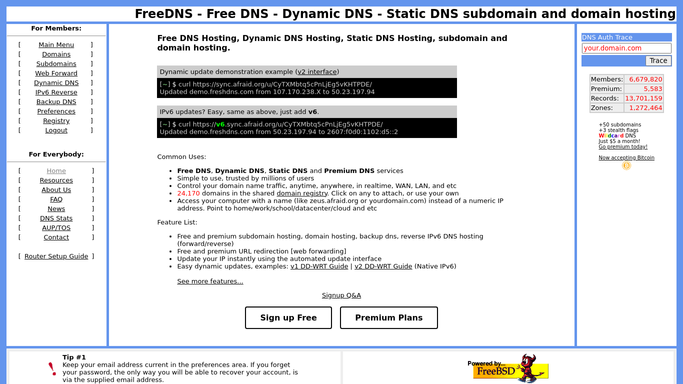
WebRun opens FreeDNS to check every subdomain's expiration deadline. - Open your FreeDNS account and list every registered subdomain
- Capture the expiration or reconfirmation deadline for each
- Filter to subdomains expiring within the next 14 days
Done when Every subdomain expiring within 14 days is listed with its deadline.
-
2
Slack - post the 14 day digest to Slack
slack.com How to Automate Slack
WebRun opens Slack to post the 14 day digest to Slack. - Post a digest to Slack listing each subdomain expiring within 14 days
- Sort by soonest deadline first
- Note which subdomains are in active use versus unused
Done when Slack has today's 14 day subdomain expiry digest.
-
3
Telegram - alert Telegram inside 3 days
telegram.org How to Automate Telegram
WebRun opens Telegram to alert Telegram inside 3 days. - Send a Telegram alert for any subdomain expiring within 3 days
- Name the subdomain and its exact deadline
- Stay quiet when nothing is inside the 3 day window
Done when A Telegram alert has gone out for every subdomain expiring within 3 days.


How do I avoid a FreeDNS subdomain expiring unexpectedly?
Every morning, WebRun checks every subdomain in your FreeDNS account for its expiration or reconfirmation deadline. It posts a digest to Slack for anything expiring within 14 days and sends a Telegram alert for anything within 3 days, so a subdomain quietly pointing at a live service never lapses without warning.
- A subdomain deadline is visible 14 days out instead of discovered too late
- An inside 3 day alert goes to Telegram so it does not get missed
- Active versus unused subdomains are distinguished so urgency stays accurate
Built for home lab operators · hobbyist developers · self hosted service owners · FreeDNS users
How is each run configured?
Secure by default
Connect once, stays signed in
WebRun signs in once and keeps each session in a persistent environment, so every run picks up right where it left off.
Every action is checked against this policy before it runs.
Questions, answered
Does it reconfirm or renew the subdomain itself?
No. WebRun never confirms or renews a subdomain on FreeDNS. It only surfaces the deadline so a person goes and confirms it.
Why does a free subdomain need watching so closely?
Unlike a paid domain, a FreeDNS subdomain can require periodic reconfirmation to stay active, so a missed deadline can quietly take down whatever points to it.
Does it track subdomains still in active use only?
It checks every subdomain on the account, but the digest notes which ones look actively used, so an unused one expiring does not read as more urgent than it is.
Related templates
Put this on autopilot.
Turn it on in minutes - or have our team set it up for you.