Check your Affirm payouts add up every day
Every morning, WebRun opens your Affirm merchant account, reads yesterday's charges, refunds, fees, and settled amount, checks that the payout matches the underlying transactions, posts the reconciliation to Microsoft Teams, and pings Telegram when the numbers disagree.
- No credit card
- Under $0.01 per run
- Cancel anytime
How do I reconcile Affirm payouts against my transactions daily?
WebRun opens your Affirm merchant account every morning and reads yesterday's charges, refunds, fees, and settled amount. It checks the payout against the underlying transactions, posts the reconciliation to Microsoft Teams, and pings Telegram only when the numbers do not balance or a dispute is opened.
- Payout gaps are caught the next morning, not at month end
- Finance sees charges, refunds, and fees on one line each day
- No refund, dispute response, or transfer is ever automated
Built for ecommerce finance teams · controllers · bookkeepers · online retailers
What does WebRun do on every run?
The exact actions WebRun takes, in order - in plain language, so you can adjust anything.
-
WebRun signs in and gets to work
Opens
www.affirm.comin a real browser with your saved login - no setup, no API keys. -
1
Affirm - read yesterday's charges and payouts
affirm.com
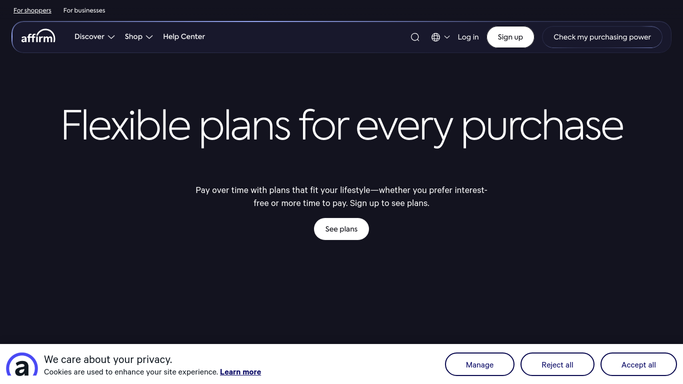
WebRun opens Affirm to read yesterday's charges and payouts. - Open the Affirm merchant dashboard and go to yesterday's activity
- Capture the count and value of new charges, refunds, and any disputes
- Read the settlement or disbursement recorded for the period, with its fees deducted
- Work out charges minus refunds minus fees and compare it against the amount settled
Done when Yesterday's charges, refunds, fees, and settled amount are captured and compared.
-
2
Microsoft Teams - post the reconciliation
microsoft.com How to Automate Microsoft Teams

WebRun opens Microsoft Teams to post the reconciliation. - Post the reconciliation to your finance channel in Microsoft Teams
- Show gross charges, refunds, fees, and the net settled amount on separate lines
- State plainly whether the payout reconciles or by how much it is out
- Add the running month-to-date settled total so the trend is visible
Done when Finance has yesterday's reconciliation in Teams.
-
3
Telegram - ping on a mismatch
telegram.org How to Automate Telegram

WebRun opens Telegram to ping on a mismatch. - Send a Telegram message only when the payout does not reconcile or a dispute was opened
- Name the amount of the gap, the date, and the transactions most likely behind it
- Stay silent on a day that balances cleanly
- Never issue a refund, settle a dispute, or move money. Those stay human decisions
Done when Any mismatch or new dispute has been raised on Telegram.
How is each run configured?
Secure by default
Connect once, stays signed in
WebRun signs in once and keeps each session in a persistent environment, so every run picks up right where it left off.
Every action is checked against this policy before it runs.
Questions, answered
Can it refund a customer or move money?
No. WebRun reads your Affirm activity and reports it. It never issues a refund, cancels a charge, responds to a dispute, or transfers funds, so no money moves without a person deciding and acting.
What counts as a mismatch?
Any gap between charges minus refunds minus fees and the amount actually settled, above the tolerance you set. Small rounding differences are ignored, so the Telegram ping fires only when something genuinely needs a look.
Does it work for several stores?
Yes. If you run more than one merchant account, WebRun walks each in turn and posts a separate reconciliation block per store, so a healthy store never masks a gap in another one.
Related templates
Put this on autopilot.
Turn it on in minutes - or have our team set it up for you.