Onboard new clients without missing a compliance step
When a new client is added to ComplySci, WebRun confirms their compliance program setup, employees loaded, code of ethics assigned, and restricted list template applied, tracks every onboarding step in a Google Sheets checklist, and checks DocuSign for the status of their signed engagement agreement.
- No credit card
- Under $0.01 per run
- Cancel anytime
What does WebRun do on every run?
The exact actions WebRun takes, in order - in plain language, so you can adjust anything.
-
WebRun signs in and gets to work
Opens
app.comply.comin a real browser with your saved login - no setup, no API keys. -
1
ComplySci (COMPLY) - check the new client's program setup
comply.com How to Automate ComplySci (COMPLY)

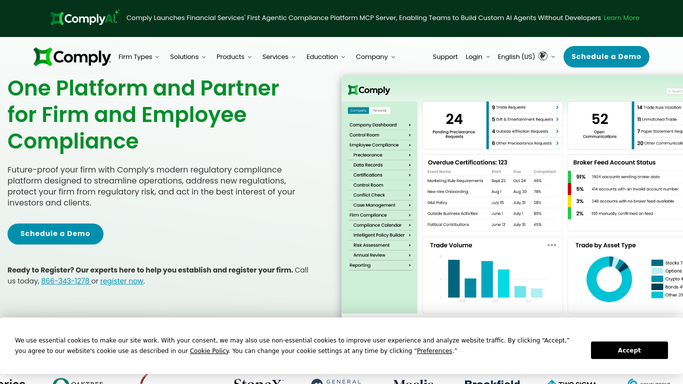
WebRun opens ComplySci (COMPLY) to check the new client's program setup. - Open ComplySci and confirm the new client's compliance program is set up: employees loaded, code of ethics assigned, and restricted list template applied
- Note any setup step still missing
- Read setup status only. Never assign a policy or add an employee yourself
Done when The new client's ComplySci setup status is confirmed against every required step.
-
2
Google Sheets - track the onboarding checklist
google.com How to Automate Google Sheets
WebRun opens Google Sheets to track the onboarding checklist. - Open the client onboarding tracker
- Add a row for the new client with every checklist item marked done or open
- Update the tracker each run until every item is done
Done when The new client's onboarding checklist is current in the tracker.
-
3
DocuSign - check the engagement agreement status
docusign.com How to Automate DocuSign
WebRun opens DocuSign to check the engagement agreement status. - Open DocuSign and check the status of the new client's engagement agreement
- Note whether it's out for signature, signed, or not yet sent
- Flag any agreement sitting unsigned more than 5 days
Done when The engagement agreement status is confirmed for the new client.


How do I onboard a new RIA client onto our compliance program without missing a setup step?
WebRun checks a new client's ComplySci setup the day they're added, confirming employees are loaded, the code of ethics is assigned, and the restricted list template is applied. It tracks every onboarding step in a Google Sheets checklist and checks DocuSign for the signed engagement agreement, so no new RIA client goes live with a compliance step still open.
- Every onboarding step is checked daily until it's actually done
- No new client goes live with an unassigned policy or missing employee
- Unsigned engagement agreements get flagged before they're forgotten
Built for investment adviser compliance consultants · outsourced chief compliance officers · compliance consulting firms · RIA compliance teams
How is each run configured?
Secure by default
Connect once, stays signed in
WebRun signs in once and keeps each session in a persistent environment, so every run picks up right where it left off.
Every action is checked against this policy before it runs.
Questions, answered
Does it set up the new client's ComplySci program itself?
No. WebRun only checks what's already set up and flags what's missing. Your team still assigns policies and loads employees in ComplySci.
Will it chase the client for a signature?
It only checks the agreement's status in DocuSign and flags one sitting unsigned more than 5 days. WebRun does not email the client. Any follow up is left for your team to send.
How long does onboarding stay tracked?
Until every checklist item is marked done. WebRun checks daily so nothing sits open for weeks without your team noticing.
Related templates
Put this on autopilot.
Turn it on in minutes - or have our team set it up for you.