Catch diet order mismatches before lunch is served
Every weekday morning, WebRun opens ElderSuite, checks each participant's current physician-ordered diet against what is recorded on their meal and nutrition plan, flags any mismatch to your dietary manager in Slack before lunch service, and emails your consulting registered dietitian a weekly summary of flags and how they were resolved.
- No credit card
- Under $0.01 per run
- Cancel anytime
What does WebRun do on every run?
The exact actions WebRun takes, in order - in plain language, so you can adjust anything.
-
WebRun signs in and gets to work
Opens
app.eldersuite.comin a real browser with your saved login - no setup, no API keys. -
1
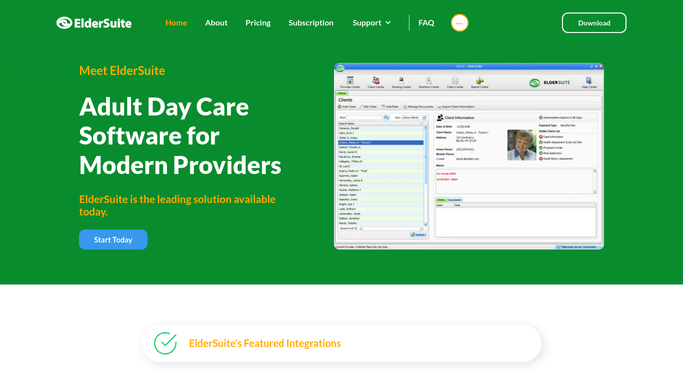
ElderSuite - compare diet orders to nutrition records
eldersuite.com How to Automate ElderSuite

WebRun opens ElderSuite to compare diet orders to nutrition records. - Open ElderSuite and pull each active participant's current physician-ordered diet
- Compare it against the diet recorded on their nutrition and meal plan
- List any participant where the two do not match
Done when Every participant's diet order is checked against their nutrition record for the day.
-
2
Slack - flag mismatches to the dietary manager
slack.com How to Automate Slack
WebRun opens Slack to flag mismatches to the dietary manager. - Post any mismatch to the dietary manager's channel before lunch service
- Name the participant, the ordered diet, and what is currently recorded
- Ask for confirmation once the nutrition record is corrected
Done when The dietary manager has every same-day mismatch flagged before lunch is served.
-
3
Gmail - email the weekly compliance summary
gmail.com How to Automate Gmail
WebRun opens Gmail to email the weekly compliance summary. - Every Friday, draft and send a summary email to the consulting registered dietitian
- List how many mismatches were flagged that week and how quickly each was resolved
- Highlight any participant flagged more than once
Done when The consulting dietitian has a weekly compliance summary in their inbox.


How do I catch diet order mismatches before a meal is served?
WebRun compares every active participant's physician-ordered diet against their recorded nutrition plan in ElderSuite each weekday morning, flagging any mismatch to the dietary manager in Slack before lunch service. Once a week it emails your consulting registered dietitian a summary of flags and resolution speed, catching diet order errors the same day instead of at the next chart audit.
- Diet order mismatches are flagged before lunch service, not after a complaint
- Consulting dietitians get a weekly compliance view without a floor visit
- Repeat mismatches for the same participant surface for retraining
Built for ADHC dietary managers · adult day care nursing staff · consulting registered dietitians
How is each run configured?
Secure by default
Connect once, stays signed in
WebRun signs in once and keeps each session in a persistent environment, so every run picks up right where it left off.
Every action is checked against this policy before it runs.
Questions, answered
Does it change a participant's diet order or meal plan?
No. WebRun only compares the physician's diet order to the nutrition record and flags a mismatch. Correcting the record or the meal itself is done by your dietary staff.
How fast is a mismatch caught?
It runs each weekday morning before lunch service, so a mismatch between a diet order and the nutrition record is flagged the same day it exists, not at the next chart audit.
Who sees the weekly compliance summary?
It goes only to your consulting registered dietitian by email, giving them an outside check on flag volume and resolution time without needing daily access to the floor.
Related templates
Put this on autopilot.
Turn it on in minutes - or have our team set it up for you.