Catch a missed medication signature before the shift ends
Every hour during operating hours, WebRun opens ElderSuite, checks the medication administration record for any scheduled dose that is unsigned or logged late, pings the charge nurse on Telegram so it can be corrected the same shift, and emails your director of nursing an end-of-day summary of every gap and how it was resolved.
- No credit card
- Under $0.01 per run
- Cancel anytime
What does WebRun do on every run?
The exact actions WebRun takes, in order - in plain language, so you can adjust anything.
-
WebRun signs in and gets to work
Opens
app.eldersuite.comin a real browser with your saved login - no setup, no API keys. -
1
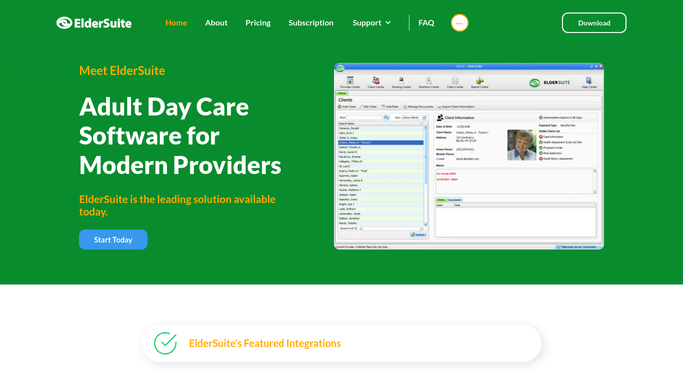
ElderSuite - check the medication record for gaps
eldersuite.com How to Automate ElderSuite

WebRun opens ElderSuite to check the medication record for gaps. - Open ElderSuite's medication administration record for today
- Check each scheduled dose for a completed signature within its administration window
- List any dose that is unsigned or logged outside its window
Done when Every scheduled dose for today is checked and any gap is listed with the participant and dose time.
-
2
Telegram - alert the charge nurse to a gap
telegram.org How to Automate Telegram
WebRun opens Telegram to alert the charge nurse to a gap. - Post any newly found gap to the charge nurse's channel right away
- Name the participant initials, medication, and scheduled time only, with no other clinical detail
- Ask for the record to be corrected or countersigned the same shift
Done when The charge nurse has an alert for every gap found that hour.
-
3
Gmail - email the end-of-day summary
gmail.com How to Automate Gmail
WebRun opens Gmail to email the end-of-day summary. - At the end of the operating day, draft and send a summary email to the director of nursing
- List every gap found that day and whether it was corrected before shift end
- Flag any gap still open at closing
Done when The director of nursing has an end-of-day summary of every medication record gap and its resolution status.


How do I catch missed medication administration signatures the same day?
WebRun checks ElderSuite's medication administration record every hour during operating hours for any unsigned or late dose, alerting the charge nurse on Telegram the same hour with just the participant initials, medication, and time. At day's end it emails the director of nursing a summary of every gap and whether it was resolved, so nothing slips into the next shift.
- Medication record gaps are caught the same hour, not at a monthly chart audit
- Charge nurses get just enough detail to fix the record without a full chart pull
- The director of nursing gets a daily accounting of every gap and its resolution
Built for ADHC directors of nursing · adult day care charge nurses · clinical compliance staff
How is each run configured?
Secure by default
Connect once, stays signed in
WebRun signs in once and keeps each session in a persistent environment, so every run picks up right where it left off.
Every action is checked against this policy before it runs.
Questions, answered
Does it sign or correct the medication record itself?
No. WebRun only flags a gap. A nurse reviews the participant's chart and completes or corrects the signature themselves, and WebRun never signs or alters a medication record.
How much detail is in the alert?
Only the participant's initials, the medication name, and the scheduled time, enough for the charge nurse to find and fix the record without exposing the full clinical chart in a chat message.
What happens to gaps found right before closing?
Any gap still open at closing is flagged in the end-of-day summary emailed to the director of nursing, so nothing is quietly carried over to the next day unresolved.
Related templates
Put this on autopilot.
Turn it on in minutes - or have our team set it up for you.