Get an instant alert the moment a fall is logged
WebRun checks ElderSuite every 15 minutes during operating hours for a newly logged fall incident, texts the on-call nurse supervisor immediately by Twilio so they can respond, and posts the full incident detail, participant initials, time, location, and immediate response taken, to your safety and QA Telegram channel for the compliance record.
- No credit card
- Under $0.01 per run
- Cancel anytime
What does WebRun do on every run?
The exact actions WebRun takes, in order - in plain language, so you can adjust anything.
-
WebRun signs in and gets to work
Opens
app.eldersuite.comin a real browser with your saved login - no setup, no API keys. -
1
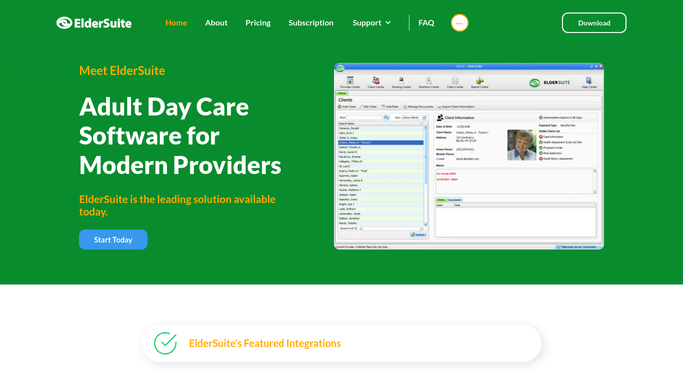
ElderSuite - detect a newly logged fall incident
eldersuite.com How to Automate ElderSuite

WebRun opens ElderSuite to detect a newly logged fall incident. - Check ElderSuite's nursing documentation for any fall incident logged since the last check
- Capture the participant initials, time, location, and immediate response noted
- Confirm the incident has not already been alerted on
Done when Any newly logged fall incident since the last check is identified with its details.
-
2
Twilio - text the on-call nurse supervisor
twilio.com How to Automate Twilio
WebRun opens Twilio to text the on-call nurse supervisor. - Text the on-call nurse supervisor immediately with the participant initials, time, and location of the fall
- Include a prompt to complete the full incident report if not already started
- Send only to the on-call supervisor's number on file
Done when The on-call nurse supervisor has an immediate text alert for the new fall incident.
-
3
Telegram - post the incident to the safety log
telegram.org How to Automate Telegram
WebRun opens Telegram to post the incident to the safety log. - Post the full incident detail to the safety and QA channel, including participant initials, time, location, and response taken
- Add a running weekly fall count for trend visibility
- Leave any state or licensing notification as a manual step for your team
Done when The safety and QA channel has the full incident record and an updated weekly fall count.


How do I get notified immediately when a fall incident is logged?
WebRun checks ElderSuite every 15 minutes during operating hours for a newly logged fall incident. The moment one appears, it texts your on-call nurse supervisor by Twilio with the participant initials, time, and location, then posts the full incident detail and a running weekly count to your Telegram safety channel, so nothing waits on someone noticing.
- On-call nursing gets a text alert within 15 minutes of a fall being logged
- Every incident lands in one running safety log instead of scattered paper forms
- Weekly fall trends are visible without compiling reports by hand
Built for ADHC nursing supervisors · adult day care safety and QA teams · day center directors of nursing
How is each run configured?
Secure by default
Connect once, stays signed in
WebRun signs in once and keeps each session in a persistent environment, so every run picks up right where it left off.
Every action is checked against this policy before it runs.
Questions, answered
Will it file a report with the state or licensing agency?
No. WebRun only alerts your on-call nurse supervisor and logs the incident to your internal safety channel. Any state or licensing notification stays a manual step for your team.
How fast is the alert after a fall is logged?
It checks ElderSuite every 15 minutes during operating hours, so the on-call nurse supervisor gets a text within minutes of the incident being entered.
Does the alert include private health details?
It includes only the participant's initials, the time, location, and the immediate response noted, the same short facts a supervisor needs to respond, not the participant's full clinical record.
Related templates
Put this on autopilot.
Turn it on in minutes - or have our team set it up for you.