Send yourself a daily attendance digest
Every evening, WebRun opens ElderSuite, pulls the day's attendance records, tallies billable hours against each participant's authorized service, logs the totals to Google Sheets, and posts a short digest to Slack so your team starts tomorrow already knowing who attended, who no-showed, and what got billed.
- No credit card
- Under $0.01 per run
- Cancel anytime
What does WebRun do on every run?
The exact actions WebRun takes, in order - in plain language, so you can adjust anything.
-
WebRun signs in and gets to work
Opens
app.eldersuite.comin a real browser with your saved login - no setup, no API keys. -
1
ElderSuite - pull today's sign-in and sign-out times
eldersuite.com How to Automate ElderSuite

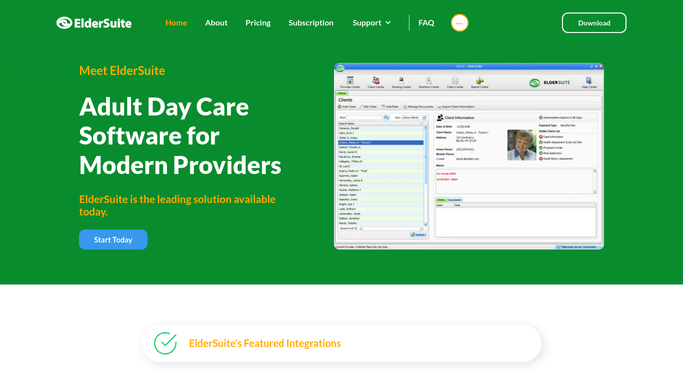
WebRun opens ElderSuite to pull today's sign-in and sign-out times. - Open ElderSuite and pull today's sign-in and sign-out record for every enrolled participant
- Match each attendance record to its authorized service type and billing units
- Flag any participant on today's roster who never signed in as a no-show
Done when Every participant on today's roster has a logged attendance status and billable unit count.
-
2
Google Sheets - log daily attendance and billable hours
google.com How to Automate Google Sheets
WebRun opens Google Sheets to log daily attendance and billable hours. - Open the daily attendance log sheet
- Append today's rows with participant initials, hours attended, billable units, and no-show flags
- Total the day's billable hours and no-show count at the top of the sheet
Done when Today's attendance and billable hours are logged and totaled in the sheet.
-
3
Slack - post the attendance digest
slack.com How to Automate Slack
WebRun opens Slack to post the attendance digest. - Post today's attendance digest to the operations channel
- Include total participants present, total billable hours, and a list of no-shows
- Flag any participant absent two days in a row
Done when Your team has tonight's attendance digest with totals and no-show flags in Slack.


How do I get a daily attendance and billable hours digest from ElderSuite?
WebRun closes out every day at your adult day center by opening ElderSuite, pulling each participant's sign-in and sign-out times, and matching them against authorized billing units. It logs the totals to Google Sheets and posts a same-day Slack digest with attendance counts, billable hours, and no-shows, so your team starts tomorrow already caught up on today.
- Attendance and billable hours are logged every night without a manual tally
- No-shows are flagged the same day instead of surfacing at month-end billing
- Staff start each morning already knowing who was absent two days running
Built for adult day care directors · ADHC program managers · adult day health care billing staff · day center operations coordinators
How is each run configured?
Secure by default
Connect once, stays signed in
WebRun signs in once and keeps each session in a persistent environment, so every run picks up right where it left off.
Every action is checked against this policy before it runs.
Questions, answered
Will it change attendance records in ElderSuite?
No. WebRun only reads attendance data already entered in ElderSuite. It never edits sign-in or sign-out times, and any correction stays a manual action for your staff.
How does it know which hours are billable?
It matches each participant's sign-in and sign-out time against their authorized service type in ElderSuite, so the billable unit count in the digest reflects what is actually approved for that participant.
Does it share attendance details outside the center?
No. The digest posts only to your internal Slack channel. WebRun never emails, texts, or otherwise sends participant attendance information to anyone outside your team.
Related templates
Put this on autopilot.
Turn it on in minutes - or have our team set it up for you.