Make sure every new hire is fully set up in payroll
Every morning, WebRun opens ADP, reviews everyone added in the last 30 days, checks each record for a completed tax form, bank details, a pay rate, a department and a start date, sends you a Telegram list of who is incomplete and what is missing, and drafts a personalised chase email in Gmail for each new hire, ready for HR to review and send.
- No credit card
- Under $0.01 per run
- Cancel anytime
What does WebRun do on every run?
The exact actions WebRun takes, in order - in plain language, so you can adjust anything.
-
WebRun signs in and gets to work
Opens
my.adp.comin a real browser with your saved login - no setup, no API keys. -
1
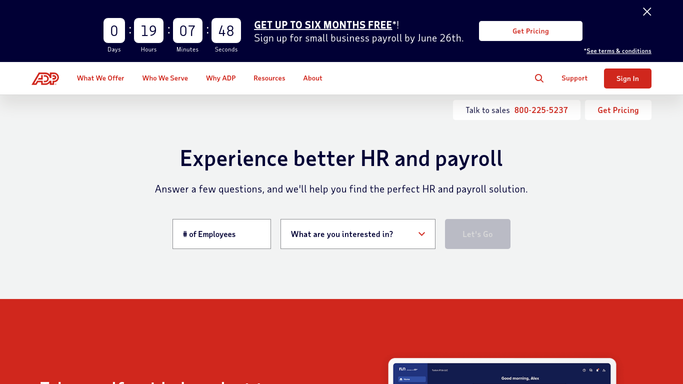
ADP - check new hire records
adp.com

WebRun opens ADP to check new hire records. - Open ADP and list every employee added in the last 30 days
- For each new hire check that a tax withholding form is on file
- Check that direct deposit or bank details are recorded
- Check that a pay rate, pay frequency, department and start date are all set
- Flag anyone whose first pay date falls inside the next 7 days while still incomplete
- Record which specific fields are missing on each record rather than just marking it incomplete
Done when Every new hire from the last 30 days has a complete or incomplete verdict with the missing fields named.
-
2
Telegram - list who is incomplete
telegram.org How to Automate Telegram
WebRun opens Telegram to list who is incomplete. - Send you a Telegram list of incomplete new hires, urgent ones first
- For each person name the exact missing fields and their first pay date
- Put anyone paid within 7 days at the top, since those become payroll problems fastest
- Send a one line all clear when every new hire record is complete
Done when You have today's incomplete new hire list on Telegram with the missing fields named.
-
3
Gmail - draft the chase emails
gmail.com How to Automate Gmail
WebRun opens Gmail to draft the chase emails. - Draft one email per incomplete new hire in Gmail, addressed to the person
- Name only the items still missing from their own record and say how to supply them
- Keep the tone warm and short, and mention the first pay date so the urgency is clear
- Leave every email unsent in drafts for HR to review and send. WebRun never emails a new hire on its own and never enters bank or tax details into ADP
Done when A personalised chase email sits in Gmail drafts for each incomplete new hire.


How do I make sure new hires are set up before payroll runs?
WebRun checks every ADP new hire from the last 30 days each morning, confirming a tax form, bank details, pay rate, department and start date are all on file. It sends you a Telegram list naming exactly what each person is missing, then drafts a personalised chase email in Gmail for HR to review and send.
- Incomplete records are caught before the first pay date, not after
- Each chase email names only what that person is actually missing
- Anyone being paid within 7 days is flagged at the top of the list
Built for HR teams · payroll administrators · office managers · operations leads
How is each run configured?
Secure by default
Connect once, stays signed in
WebRun signs in once and keeps each session in a persistent environment, so every run picks up right where it left off.
Every action is checked against this policy before it runs.
Questions, answered
Will it email new hires without HR approving?
No. Every chase email is left unsent in Gmail drafts. HR reads it, edits it and clicks send. WebRun writes the draft and nothing more, because these emails go to real employees about their pay.
Does it enter bank or tax details into ADP?
No, and it never should. WebRun only checks whether those fields are present. Entering bank account numbers, tax withholding details and any other sensitive payroll data stays with the employee and HR.
Which new hires does it check?
Everyone added in the last 30 days. Anyone whose first pay date falls inside the next 7 days while still incomplete is put at the top of the list, because those turn into payroll corrections fastest.
Related templates
Put this on autopilot.
Turn it on in minutes - or have our team set it up for you.