Clear time off and availability requests before the schedule goes out
Every morning, WebRun opens 7shifts, lists the time off and availability requests still waiting on a manager, checks each against the published schedule for a clash, cards them in Trello ranked by how long they have waited, and logs the queue to a Notion database.
- No credit card
- Under $0.01 per run
- Cancel anytime
How do I clear pending time off requests before publishing a schedule?
WebRun opens 7shifts every morning and lists the time off and availability requests still waiting on a manager. It checks each against the published schedule for a clashing shift, cards them in Trello ranked by days waiting, and logs the queue in Notion, so approvals happen before the schedule locks.
- Requests are decided before the schedule is published, not after
- Every request shows the shift it clashes with
- Long-waiting requests rise to the top of the board automatically
Built for restaurant managers · hospitality operators · retail store managers · shift schedulers
What does WebRun do on every run?
The exact actions WebRun takes, in order - in plain language, so you can adjust anything.
-
WebRun signs in and gets to work
Opens
app.7shifts.comin a real browser with your saved login - no setup, no API keys. -
1
7shifts - read pending staff requests
7shifts.com
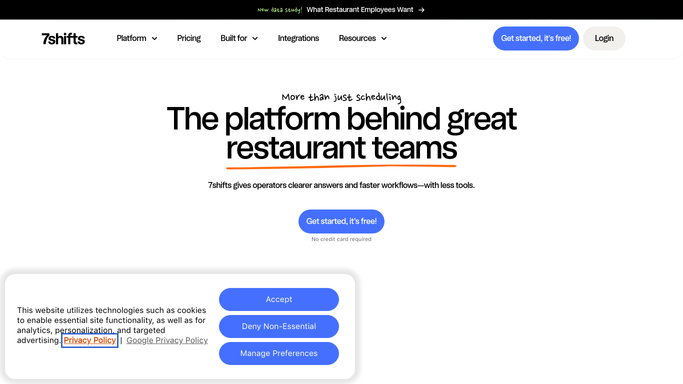
WebRun opens 7shifts to read pending staff requests. - Open 7shifts and list time off requests still awaiting a decision
- Add the availability change requests still pending for the same period
- Capture the employee, the location, the dates requested, and when the request was submitted
- Check the published schedule for shifts assigned to that employee on those dates
- Work out how many days each request has been waiting
Done when Every pending request is listed with its waiting time and any shift clash.
-
2
Trello - card each request with its clash
trello.com How to Automate Trello

WebRun opens Trello to card each request with its clash. - Open your scheduling board in Trello and add a card per pending request
- Title each card with the employee, the dates, and the request type
- Note the clashing shift on the card so the cover problem is visible up front
- Put the longest-waiting requests at the top and archive cards already decided
Done when Every open request has a card showing its clash and its age.
-
3
Notion - log the approval queue
notion.so How to Automate Notion

WebRun opens Notion to log the approval queue. - Open your staffing database in Notion and append today's queue
- Write one row per request: employee, location, dates, type, days waiting, clash
- Keep the history so you can see which locations run the longest approval backlogs
Done when Today's queue is recorded in Notion alongside previous runs.
How is each run configured?
Secure by default
Connect once, stays signed in
WebRun signs in once and keeps each session in a persistent environment, so every run picks up right where it left off.
Every action is checked against this policy before it runs.
Questions, answered
Will it approve or decline a request?
No. WebRun surfaces the queue with the clash and the waiting time. Approving or declining time off stays a manager decision made inside 7shifts.
Does it message the staff member who asked?
No. WebRun writes to your internal Trello board and Notion database only. Staff hear the outcome from their manager, not from an automation.
How does it spot a clash?
It reads the published schedule for the requested dates and flags any shift already assigned to that employee, so you can see the cover gap before approving.
Related templates
Put this on autopilot.
Turn it on in minutes - or have our team set it up for you.