Keep a searchable index of your 4shared files
Every Monday, WebRun signs in to 4shared, lists the files added or changed in the last seven days with their folder, size and date, updates a Notion index so the whole team can search it, checks how much storage is left, and opens Trello cards for anything sitting unsorted or badly named.
- No credit card
- Under $0.01 per run
- Cancel anytime
What does WebRun do on every run?
The exact actions WebRun takes, in order - in plain language, so you can adjust anything.
-
WebRun signs in and gets to work
Opens
www.4shared.comin a real browser with your saved login - no setup, no API keys. -
1
4shared - list new and changed files
4shared.com

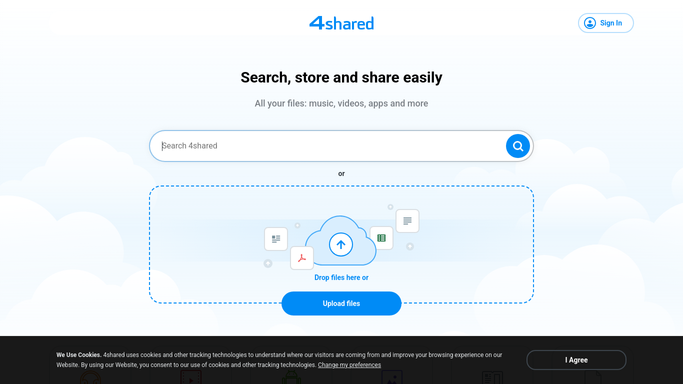
WebRun opens 4shared to list new and changed files. - Sign in to 4shared and open your file manager
- List every file added or modified in the last seven days with its folder path, size and date
- Read the account storage figure and note how much space is left
- Flag files still sitting in the root or in an Unsorted folder
- Flag names that break your convention, for example an untouched camera or scanner filename
Done when Last week's files, the storage figure and the untidy items are all captured.
-
2
Notion - update the searchable index
notion.so How to Automate Notion
WebRun opens Notion to update the searchable index. - Open your file index database in Notion
- Add a row for each new file with its name, folder, size and date added
- Update the row for any file that changed rather than creating a duplicate
- Write the current storage remaining into the header block so it is visible at a glance
Done when The Notion index matches what is actually in 4shared as of this morning.
-
3
Trello - queue the tidy-up jobs
trello.com How to Automate Trello
WebRun opens Trello to queue the tidy-up jobs. - Open your operations board in Trello
- Create one card per batch of unsorted or misnamed files, naming the folder and the count
- Add a card when storage remaining falls under your threshold, so a clean-up gets scheduled
- Check for an existing open card first so the same job is not raised twice
Done when Every tidy-up job has a Trello card and no duplicates were created.


How do I keep track of what is stored in my 4shared account?
WebRun signs in to 4shared every Monday, lists the files added or changed in the last seven days with their folder, size and date, updates a searchable Notion index, reads the remaining storage, and opens Trello cards for unsorted files, naming problems and low space.
- The team can search for a file in Notion instead of hunting through folders
- Unsorted uploads get a named owner every Monday
- Storage runs out on a card, not in the middle of an upload
Built for operations teams · small businesses · media and production teams · office managers
How is each run configured?
Secure by default
Connect once, stays signed in
WebRun signs in once and keeps each session in a persistent environment, so every run picks up right where it left off.
Every action is checked against this policy before it runs.
Questions, answered
Will it delete, move or rename my files?
No. WebRun only reads 4shared. Every clean-up it suggests becomes a Trello card for a person to action, so no file is ever moved, renamed or deleted without a human doing it.
Does the index copy my files anywhere?
No. Notion holds only the file name, folder, size and date. The files themselves stay in 4shared, and nothing is downloaded, uploaded or re-hosted by this run.
What happens as storage fills up?
The remaining space is written into the Notion index every Monday, and once it drops below the threshold you set, WebRun opens a Trello card so a clean-up or an upgrade gets scheduled before uploads start failing.
Related templates
Put this on autopilot.
Turn it on in minutes - or have our team set it up for you.