Answer the learner questions sitting unanswered in your courses
Every morning, WebRun opens 360Learning, reads the forum and question threads inside your courses, picks out the ones with no reply, records the learner, the course, and the lesson each came from, drafts a nudge to the responsible course author in Gmail, and holds time in Google Calendar to work through them.
- No credit card
- Under $0.01 per run
- Cancel anytime
How do I find unanswered learner questions in my courses?
WebRun reads the question threads inside your 360Learning courses every morning and picks out the ones nobody has answered, with the course, lesson, and waiting time. It drafts a nudge per course author in Gmail and holds time in Google Calendar, so learners are not left stuck.
- No learner question sits unanswered for more than a day
- Questions several learners reacted to rise to the top
- Time to answer is already on the calendar before the day fills up
Built for course authors · learning and development teams · training managers · internal academies
What does WebRun do on every run?
The exact actions WebRun takes, in order - in plain language, so you can adjust anything.
-
WebRun signs in and gets to work
Opens
360learning.comin a real browser with your saved login - no setup, no API keys. -
1
360Learning - find the unanswered questions
360learning.com
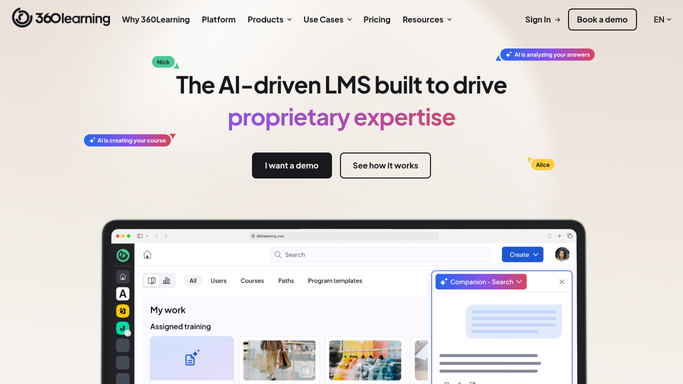
WebRun opens 360Learning to find the unanswered questions. - Open 360Learning and read the question threads inside your published courses
- Pick out every question with no reply from an author or another learner
- Record the learner, the course, the lesson, and how long the question has waited
- Note questions with several reactions, since those are ones many learners are stuck on
Done when Every unanswered question is listed with its course, lesson, learner, and waiting time.
-
2
Gmail - draft a nudge to the author
gmail.com How to Automate Gmail

WebRun opens Gmail to draft a nudge to the author. - Group the unanswered questions by the course author responsible for each course
- Draft one email per author listing their open questions with the lesson and waiting time
- Leave every email as a draft for you to review and send. WebRun never emails an author or a learner on its own
Done when A nudge email sits in Gmail drafts for each author with open questions.
-
3
Google Calendar - hold time to answer them
calendar.google.com How to Automate Google Calendar

WebRun opens Google Calendar to hold time to answer them. - Create a private hold on your own calendar sized to the number of open questions
- Put the course names and the most reacted questions in the event notes
- Add no guests, so the hold stays yours and nobody receives an invitation
- Skip the hold entirely on days when nothing is waiting
Done when Time is booked on your calendar to answer today's open questions.
How is each run configured?
Secure by default
Connect once, stays signed in
WebRun signs in once and keeps each session in a persistent environment, so every run picks up right where it left off.
Every action is checked against this policy before it runs.
Questions, answered
Will it post answers to learners itself?
No. WebRun never replies inside a course or emails a learner. It drafts a nudge to the course author in Gmail and leaves it for you to send, so every answer a learner sees was written by a person.
Does the calendar hold invite anyone?
No. It is a private hold on your own calendar with no guests, so nobody receives an invitation. On days with nothing waiting, no hold is created at all.
How does it decide which question matters most?
It ranks by how long the question has waited and how many reactions it has, so a question several learners are stuck on rises above a single quiet one.
Related templates
Put this on autopilot.
Turn it on in minutes - or have our team set it up for you.