Set every new joiner up with the channels their role needs
When a new member appears in your Zulip organization, WebRun reads their role from your Google Sheets onboarding map, works out which channels and user groups that role needs, prepares the subscription list for an admin to apply, records what was set up, and books a first week check-in.
- No credit card
- Under $0.01 per run
- Cancel anytime
How do I set up a new team member with the right chat channels?
When a new member joins your Zulip organization, WebRun reads their role from your Google Sheets onboarding map, compares the channels and user groups they have against what the role needs, and prepares the subscription list for an admin. It logs the setup and books a first week check-in.
- Every joiner gets a role-correct channel list on day one
- Missing roles are flagged so the onboarding map improves
- Subscriptions are prepared for an admin, never applied silently
Built for workspace admins · IT teams · people operations · open source communities
What does WebRun do on every run?
The exact actions WebRun takes, in order - in plain language, so you can adjust anything.
-
WebRun signs in and gets to work
Opens
zulip.comin a real browser with your saved login - no setup, no API keys. -
1
Zulip - read the new member and current subscriptions
zulip.com
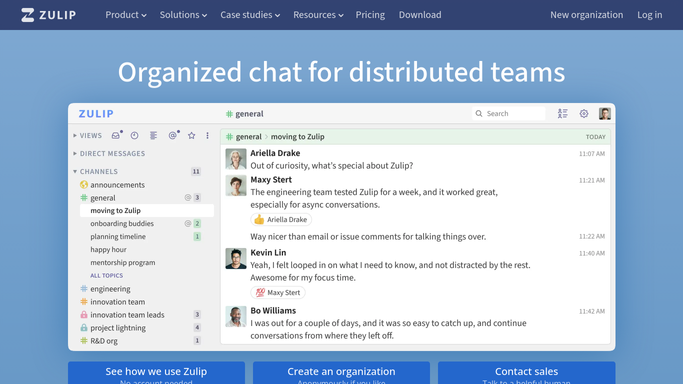
WebRun opens Zulip to read the new member and current subscriptions. - Open Zulip and find the member who has just joined the organization
- Read the channels they are already subscribed to and the user groups they belong to
- Compare against the target list for their role and note what is missing
- Prepare the subscription and group changes for an admin to apply in one pass
- Never post in a channel on the member's behalf
Done when The new member's current and target subscriptions are compared and the difference is listed.
-
2
Google Sheets - look up the channels their role needs
google.com How to Automate Google Sheets

WebRun opens Google Sheets to look up the channels their role needs. - Open your onboarding map in Google Sheets and find the row for the new member's role
- Read the channels, user groups, and any optional extras that role should have
- Write the member, their role, and the prepared changes into the onboarding log
- Flag roles with no row in the map so the map itself gets updated
Done when The role has been looked up and the onboarding log records what the member needs.
-
3
Google Calendar - book the first week check-in
calendar.google.com How to Automate Google Calendar

WebRun opens Google Calendar to book the first week check-in. - Book a short check-in in Google Calendar for the end of the member's first week
- Put the prepared channel list and the onboarding log link in the description
- Invite the member's manager so the check-in has an owner
Done when A first week check-in sits in the calendar with the setup details attached.
How is each run configured?
Secure by default
Connect once, stays signed in
WebRun signs in once and keeps each session in a persistent environment, so every run picks up right where it left off.
Every action is checked against this policy before it runs.
Questions, answered
Will it post messages or invite people on its own?
No. WebRun never posts in a channel and never sends an invitation. It prepares the subscription and group list for an admin to apply, so nobody is added to a private conversation without a human approving it.
What if the joiner's role is not in the map?
WebRun flags the missing role in the Google Sheets onboarding log rather than guessing. The joiner still gets a check-in booked, and the map gets a row added so the next hire in that role is covered.
How is this different from a morning stream brief?
A brief summarises messages for people already in the right channels. This run happens once per person, at the moment they join, and works on subscriptions and groups rather than on message content.
Related templates
Put this on autopilot.
Turn it on in minutes - or have our team set it up for you.