Automatic Zoho Flow Task Usage Alerts
Every morning, WebRun opens Zoho Flow, reads how many tasks the organization has consumed against the plan limit, works out the daily burn rate and whether it clears the billing cycle, names the flows using the most tasks, messages you on WhatsApp, and opens a Trello card when the pace will hit the limit early.
How do I know before my automation task limit runs out this month?
WebRun reads your Zoho Flow task usage every morning: tasks consumed against the plan limit, the days left in the billing cycle, and the daily burn rate. It projects the date you would run out, names the flows using the most tasks, messages you on WhatsApp, and opens a dated Trello card when the pace is wrong.
- Flows never stop silently at the plan limit
- The heaviest flows are named every morning, not guessed at
- A dated Trello card appears the day the pace stops clearing the cycle
Built for operations leads · automation builders · small business owners · IT managers · agencies
What does WebRun do on every run?
The exact actions WebRun takes, in order - in plain language, so you can adjust anything.
-
WebRun signs in and gets to work
Opens
flow.zoho.comin a real browser with your saved login - no setup, no API keys. -
1
Zoho Flow - read task usage against the plan limit
flow.zoho.com
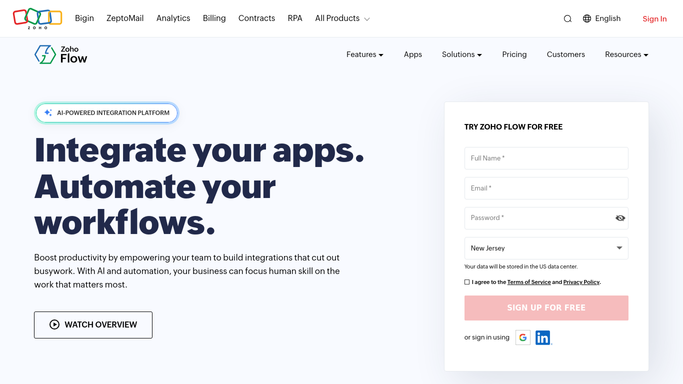
WebRun opens Zoho Flow to read task usage against the plan limit. - Open Zoho Flow and read the organization's tasks consumed for the current billing cycle
- Record the plan limit and the days remaining in the cycle
- Work out the average daily burn rate and project the date the limit would be reached
- List the flows consuming the most tasks, and flag any whose usage jumped against last week
- Note any flow looping or retrying, since those burn tasks without producing anything
- Read only. WebRun never turns a flow off, edits one, or buys extra tasks
Done when Tasks consumed, the limit, the burn rate, and the projected exhaustion date are all recorded.
-
2
Trello - open a card when the pace is wrong
trello.com

WebRun opens Trello to open a card when the pace is wrong. - Add a card to your operations board when the projected date falls before the cycle ends
- Name the flows driving the burn and how many tasks each has used this cycle
- Set the due date to the projected exhaustion date so the deadline is real
- Close the card once usage falls back inside a pace that clears the cycle
Done when A dated card exists whenever the burn rate will exhaust the plan early.
-
3
WhatsApp - message you the burn rate
whatsapp.com

WebRun opens WhatsApp to message you the burn rate. - Send yourself tasks used, the limit, and the days left in the cycle
- Add the projected exhaustion date and the top flows by consumption
- Say plainly whether the current pace clears the cycle or not
- Stay quiet on mornings that are comfortably on pace, unless you ask for a daily line
Done when You know today whether the plan lasts the cycle.
How is each run configured?
Secure by default
Connect once, stays signed in
WebRun signs in once and keeps each session in a persistent environment, so every run picks up right where it left off.
Every action is checked against this policy before it runs.
Questions, answered
Will it upgrade my plan or buy more tasks?
No. WebRun never buys anything, changes a plan, or enters payment details. It tells you the burn rate and the date you would run out, and you decide what to do about it.
Will it turn off a flow that is burning tasks?
No. It names the flows using the most tasks and flags anything looping or retrying, but switching a flow off would stop real work, so that stays your call.
How is this different from a failed run report?
A failure report tells you what broke. This watches consumption while everything is working, because a flow can succeed every time and still quietly eat the month's task allowance.
Related templates
Put this on autopilot.
Turn it on in minutes - or have our team set it up for you.