Automated Zoho Connect Question Tracking
Every morning, WebRun opens Zoho Connect, goes through your groups, feeds and forums, finds questions with no reply, records each in Airtable with its asker, group and age, then takes questions answered since the last run and files the question and answer into a Notion knowledge page so it does not have to be asked again.
How do I make sure internal questions get answered?
WebRun scans your Zoho Connect groups and forums every morning for questions nobody has answered, records each in Airtable with its age and group, and files the answered ones into a Notion knowledge page. Your team sees what is still waiting before the day starts.
- No question sits in a group feed for a week unnoticed
- Every open question has a suggested owner
- Answers become a knowledge page instead of scrolling away
Built for internal comms teams · operations managers · people teams · knowledge managers
What does WebRun do on every run?
The exact actions WebRun takes, in order - in plain language, so you can adjust anything.
-
WebRun signs in and gets to work
Opens
connect.zoho.comin a real browser with your saved login - no setup, no API keys. -
1
Zoho Connect - find unanswered questions
connect.zoho.com
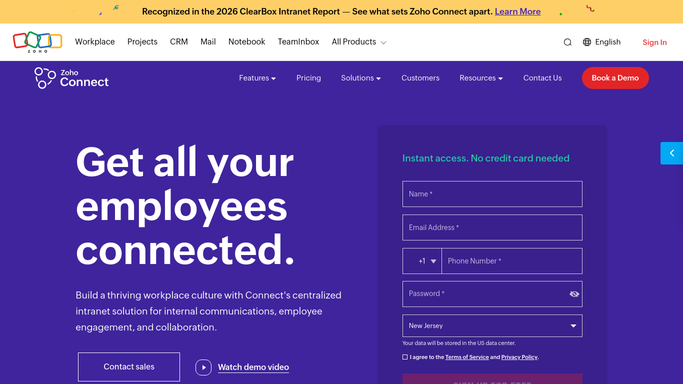
WebRun opens Zoho Connect to find unanswered questions. - Open Zoho Connect and go through each group feed and forum on your watch list
- Find posts phrased as questions that still have no reply
- Capture the asker, the group, the question, the post date and how many days it has waited
- Also capture questions that have received an answer since the last run
- Read only. Never reply to, edit or delete a post
Done when Every open question and every newly answered one is captured.
-
2
Airtable - track the open queue
airtable.com

WebRun opens Airtable to track the open queue. - Open your Questions base in Airtable and add a row for each unanswered question
- Fill in asker, group, question, days waiting and a suggested owner from your routing rules
- Mark rows as Answered once a reply appears, rather than deleting them
- Sort the view so the longest waiting question sits at the top
Done when The base shows every open question with its age and a suggested owner.
-
3
Notion - file the answered ones
notion.so

WebRun opens Notion to file the answered ones. - Open your internal knowledge space in Notion
- Add each newly answered question and its accepted answer under the right topic heading
- Link back to the original Zoho Connect thread for the full context
- Post a short daily roll-up listing what is still unanswered and who it is suggested for
Done when New answers are in the knowledge page and today's roll-up is posted.
How is each run configured?
Secure by default
Connect once, stays signed in
WebRun signs in once and keeps each session in a persistent environment, so every run picks up right where it left off.
Every action is checked against this policy before it runs.
Questions, answered
Will it answer questions on my team's behalf?
No. WebRun never posts, replies or comments in Zoho Connect. It tracks what is waiting and suggests an owner, and a person writes every answer.
Does it work across more than one group?
Yes. List the groups and forums you care about at setup and each run covers all of them, with the longest waiting question first regardless of which group it came from.
What stops the knowledge page filling with noise?
Only questions that received a real answer are filed, each under a topic heading with a link back to the original thread, so the page grows as a reference rather than a copy of the feed.
Related templates
Put this on autopilot.
Turn it on in minutes - or have our team set it up for you.