Clear your unreconciled bank transactions
Every morning, WebRun opens Zoho Books, works through the unreconciled transactions in your bank accounts, checks each one against open invoices and bills, posts a short Slack summary of what lines up cleanly, and sends you a Telegram alert for anything that needs a human decision.
- No credit card
- Under $0.01 per run
- Cancel anytime
How do I keep my Zoho Books bank reconciliation up to date every day?
WebRun opens Zoho Books every morning, works through the unreconciled transactions in your bank accounts, and checks each one against open invoices and bills. It posts a Slack summary of the lines that match cleanly and sends a Telegram alert listing the transactions that still need a human decision.
- The unreconciled backlog is reviewed every morning instead of once a month
- Only the genuinely unclear lines reach a human
- Transactions older than 30 days are flagged before they become a close problem
Built for small business owners · bookkeepers · accountants · finance teams
What does WebRun do on every run?
The exact actions WebRun takes, in order - in plain language, so you can adjust anything.
-
WebRun signs in and gets to work
Opens
books.zoho.comin a real browser with your saved login - no setup, no API keys. -
1
Zoho Books - review unreconciled transactions
books.zoho.com
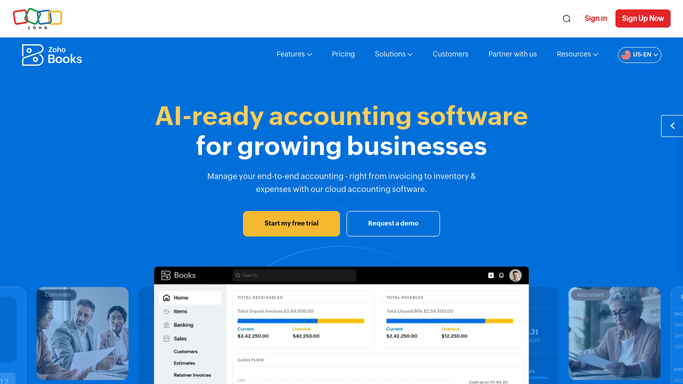
WebRun opens Zoho Books to review unreconciled transactions. - Open Zoho Books and go to Banking
- Open each connected account and list the uncategorised and unmatched transactions
- For each line, capture the date, amount, description, and the match Zoho Books suggests
- Compare the line against open invoices, bills, and expenses to see whether the suggestion is sound
- Leave every match unconfirmed so a human posts it to the ledger
Done when Every unreconciled bank line is listed with its suggested match and a confidence note.
-
2
Slack - post the daily reconciliation summary
slack.com How to Automate Slack

WebRun opens Slack to post the daily reconciliation summary. - Post a short summary to your finance channel with the count of unreconciled lines and their total value
- List the transactions whose suggested match looks clean, oldest first
- Note how the backlog moved since yesterday
Done when The finance channel has today's reconciliation summary.
-
3
Telegram - alert you to lines needing a decision
telegram.org How to Automate Telegram

WebRun opens Telegram to alert you to lines needing a decision. - Send you a short alert listing only the lines WebRun could not match confidently
- Include the amount, the date, and why the match is unclear, such as a duplicate or a partial payment
- Flag any transaction older than 30 days that is still sitting unreconciled
Done when You have a decision list of the bank lines only a human can resolve.
How is each run configured?
Secure by default
Connect once, stays signed in
WebRun signs in once and keeps each session in a persistent environment, so every run picks up right where it left off.
Every action is checked against this policy before it runs.
Questions, answered
Will it confirm matches in my ledger without me?
No. WebRun reads Zoho Books and reports what it found, and it leaves every match unconfirmed. A human clicks the final match, so nothing is posted to your books on its own.
What counts as a line that needs a decision?
Anything WebRun cannot tie to a single open invoice, bill, or expense: duplicates, partial payments, unfamiliar payees, and transactions older than 30 days. Those go to Telegram; the clean ones stay in the Slack summary.
Does it work with more than one bank account?
Yes. WebRun walks every account connected in the Zoho Books Banking section each morning and reports them together, with the totals broken out per account.
Related templates
Put this on autopilot.
Turn it on in minutes - or have our team set it up for you.