Keep your Zalo followers sorted by what they asked about
Every morning, WebRun opens your Zalo Official Account, reads the conversations that came in yesterday, works out what each follower was actually asking about, applies the matching label, writes the segment into an Airtable customer list, and updates a Notion page per group so a broadcast always has a real audience.
- No credit card
- Under $0.01 per run
- Cancel anytime
How do I segment my Zalo followers by what they asked about?
WebRun opens your Zalo Official Account every morning, reads the conversations that came in yesterday, and labels each follower by what they actually asked about. It writes the segment and the source message into Airtable and keeps a Notion page per group, so every broadcast goes to a real list.
- Every new follower is labelled the morning after they message
- Broadcast lists stay segmented instead of becoming one undifferentiated pile
- A returning customer keeps their history instead of being relabelled from scratch
Built for shop owners · Vietnamese retailers · clinics and salons · customer support teams
What does WebRun do on every run?
The exact actions WebRun takes, in order - in plain language, so you can adjust anything.
-
WebRun signs in and gets to work
Opens
chat.zalo.mein a real browser with your saved login - no setup, no API keys. -
1
Zalo - label followers by interest
zalo.me
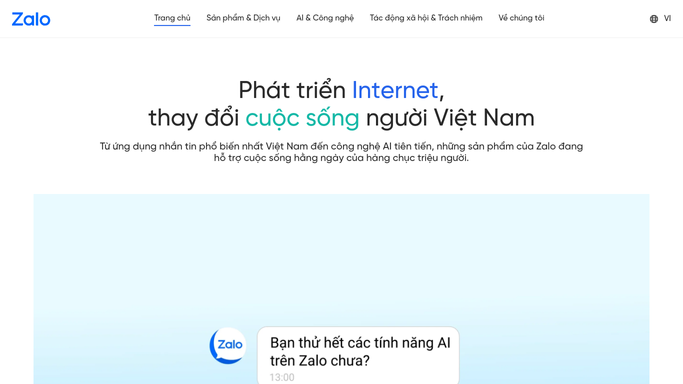
WebRun opens Zalo to label followers by interest. - Open the Zalo Official Account inbox and list the conversations that started or moved yesterday
- Read each conversation and work out what the follower was asking about: a product, a price, an appointment, a complaint, or support
- Apply the matching label from your existing label set to that follower
- Leave any conversation you have no clear read on unlabelled rather than guessing
- Only apply labels. WebRun never replies to a follower or sends a broadcast
Done when Every follower from yesterday's conversations is labelled or deliberately left alone.
-
2
Airtable - build the segmented list
airtable.com How to Automate Airtable

WebRun opens Airtable to build the segmented list. - Open the customer list base in Airtable
- Add or update a row per follower with the label applied, the date, and a one-line note on what they asked
- Keep the earlier labels on a returning follower so their history builds instead of being overwritten
- Update the count for each segment so you can see which group is growing
Done when The Airtable list matches the labels now sitting in Zalo.
-
3
Notion - keep the group notes
notion.so How to Automate Notion

WebRun opens Notion to keep the group notes. - Update the Notion page for each customer group with yesterday's additions
- Note the questions that came up most often in that group
- Suggest what a broadcast to that segment should say, and leave it as a note for you to write and send yourself
Done when Each segment page in Notion reflects yesterday's conversations.
How is each run configured?
Secure by default
Connect once, stays signed in
WebRun signs in once and keeps each session in a persistent environment, so every run picks up right where it left off.
Every action is checked against this policy before it runs.
Questions, answered
Will it message or broadcast to my followers?
No. WebRun only reads conversations and applies labels. It never replies to a follower and never sends a broadcast. Broadcast ideas are left as notes in Notion for you to write and send yourself.
What if a conversation does not fit any label?
It is left unlabelled and noted in Airtable as unclear. WebRun would rather leave a follower out of a segment than drop them into the wrong one and skew a broadcast.
Does it use my existing labels or make new ones?
It uses the label set you already have in Zalo. If a topic keeps coming up with no label to match, it says so in the Notion notes and leaves creating the label to you.
Related templates
Put this on autopilot.
Turn it on in minutes - or have our team set it up for you.