Turn Xiaohongshu comments into a reply queue
Every hour, WebRun opens Xiaohongshu, reads the new comments left on your recent notes, sorts them into questions, complaints, and praise, creates a Trello card for anything that needs a human answer with a suggested reply already written in the card, and appends every comment to an Airtable base so you can see what people keep asking.
- No credit card
- Under $0.01 per run
- Cancel anytime
How do I keep up with comments on my social posts without missing any?
WebRun reads new comments on your recent Xiaohongshu notes every hour and sorts them into questions, complaints, purchase intent, and praise. It raises a Trello card with a suggested reply for anything needing a human answer, logs every comment in Airtable, and never posts publicly on your account itself.
- Every question gets a card with a reply already drafted
- Complaints are labelled urgent and rise to the top
- The Airtable log shows what your audience keeps asking
Built for social media managers · ecommerce brands · creators · community teams
What does WebRun do on every run?
The exact actions WebRun takes, in order - in plain language, so you can adjust anything.
-
WebRun signs in and gets to work
Opens
www.xiaohongshu.comin a real browser with your saved login - no setup, no API keys. -
1
Xiaohongshu - read new comments
xiaohongshu.com
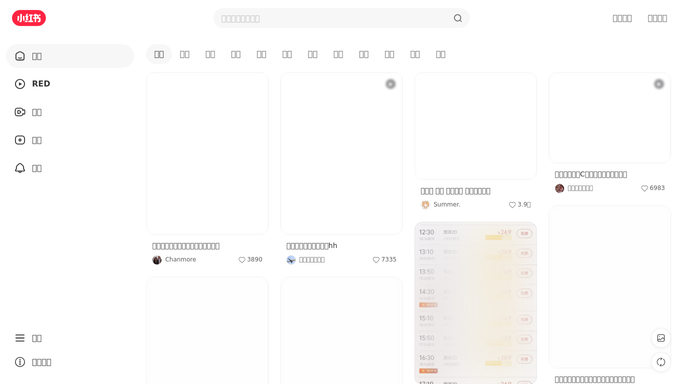
WebRun opens Xiaohongshu to read new comments. - Open Xiaohongshu and go to the notifications and comments view for your account
- Read every comment left since the last run on notes published in the last 30 days
- Sort each one into a question, a complaint, a purchase intent, or plain praise
- Capture the note title, the commenter handle, the comment text, and the time it was left
- Skip comments already handled on an earlier run
Done when Every new comment is read and sorted into a type.
-
2
Trello - queue replies for approval
trello.com How to Automate Trello

WebRun opens Trello to queue replies for approval. - Create a Trello card on your community board for every question, complaint, or purchase-intent comment
- Put the note title and the comment in the card description with a link back to the note
- Write a suggested reply in the card for a human to copy, edit, and post. WebRun never posts a public reply itself
- Label complaints as urgent and put them at the top of the list
- Leave plain praise out of the board so the queue stays actionable
Done when Every comment needing a human answer has a Trello card with a suggested reply.
-
3
Airtable - log every comment
airtable.com How to Automate Airtable

WebRun opens Airtable to log every comment. - Append one Airtable row per comment with the note, the type, the text, the handle, and the timestamp
- Mark whether a Trello card was raised for it
- Keep the base as the record of recurring questions so you can plan future notes around them
Done when Every comment from this run is a row in Airtable.
How is each run configured?
Secure by default
Connect once, stays signed in
WebRun signs in once and keeps each session in a persistent environment, so every run picks up right where it left off.
Every action is checked against this policy before it runs.
Questions, answered
Will it post replies on my account?
No. Every suggested reply is written into a Trello card for a human to copy, edit, and post. WebRun never publishes a comment, a reply, or a note on Xiaohongshu.
How does it decide what needs a card?
Questions, complaints, and comments showing purchase intent get a card. Plain praise is logged in Airtable but kept off the board so the reply queue stays short and actionable.
Will the same comment be queued twice?
No. Each comment is matched against the Airtable log before a card is raised, so a comment that stays on the note is queued once, the hour it appeared.
Related templates
Put this on autopilot.
Turn it on in minutes - or have our team set it up for you.