Check every cloud account is actually being scanned
Every Monday, WebRun opens Wiz, lists every connected cloud account and its scan status, files a dated coverage report in Google Drive, and opens a Trello card for each account that is missing, disconnected, or has not been scanned recently.
- No credit card
- Under $0.01 per run
- Cancel anytime
How do I check every cloud account is connected to Wiz?
WebRun opens Wiz every Monday and lists every cloud account with its connector state and last scan time, then files a dated coverage report in Google Drive and opens a Trello card for each account that is missing or not scanning, so a clean posture score is not simply a smaller picture.
- Unscanned cloud accounts surface weekly instead of at audit time
- A dated coverage history you can show an auditor
- Broken connectors get a card the same week they break
Built for cloud security teams · security engineers · CISOs · platform teams
What does WebRun do on every run?
The exact actions WebRun takes, in order - in plain language, so you can adjust anything.
-
WebRun signs in and gets to work
Opens
app.wiz.ioin a real browser with your saved login - no setup, no API keys. -
1
Wiz - list connected accounts and scan status
wiz.io
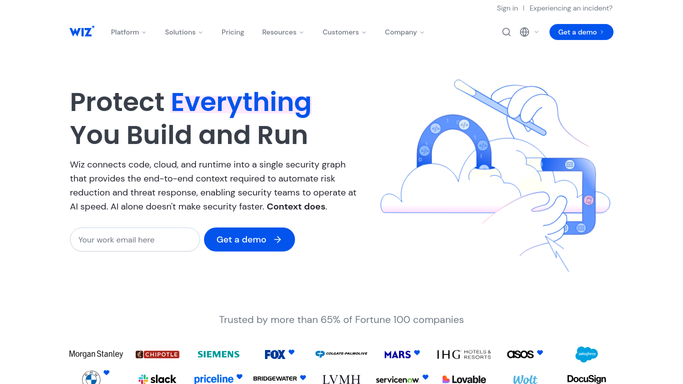
WebRun opens Wiz to list connected accounts and scan status. - Open Wiz and go to your cloud account and connector inventory
- Capture every connected account with its cloud provider, project, and scan status
- Note any connector showing an error, a permissions problem, or a stale last-scan time
- Compare the list against your own record of accounts that should be onboarded
Done when Every cloud account in Wiz is listed with its connector state and last scan time.
-
2
Google Drive - file the coverage report
drive.google.com How to Automate Google Drive

WebRun opens Google Drive to file the coverage report. - Save a dated coverage report to your security folder in Google Drive
- List connected and scanning accounts first, then the gaps
- Keep each week's file so coverage over time is auditable
- Name the file with the run date so the newest is obvious
Done when This week's dated coverage report is filed in Drive.
-
3
Trello - open a card per gap
trello.com How to Automate Trello

WebRun opens Trello to open a card per gap. - Open a card on your security board for each account not being scanned
- Put the provider, account identifier, and the exact problem in the card
- Skip accounts that already have an open card from a previous week
- Link the card back to the Drive report for the full picture
Done when Every coverage gap has an open Trello card with its details.
How is each run configured?
Secure by default
Connect once, stays signed in
WebRun signs in once and keeps each session in a persistent environment, so every run picks up right where it left off.
Every action is checked against this policy before it runs.
Questions, answered
Will it change anything in Wiz or in my cloud?
No. WebRun only reads the connector and scan status. It never connects an account, changes permissions, or edits a project, so your security configuration is untouched.
How does it know an account is missing?
It compares the accounts Wiz reports against the list of accounts you tell it should be onboarded, then flags anything on your list that Wiz has never seen.
Does it open a new card every week for the same gap?
No. It checks the board first and skips any account that already has an open card, so one persistent gap stays as one card rather than piling up.
Related templates
Put this on autopilot.
Turn it on in minutes - or have our team set it up for you.