Draft wine club allocation emails for you
Each release, WebRun opens InnoVint to check available case goods for the SKUs going into allocation, reads every wine club member's tier and purchase history in Commerce7, works out what each member is offered, and drafts a personalized allocation email per tier in Mailchimp for you to review before anything sends.
- No credit card
- Under $0.01 per run
- Cancel anytime
What does WebRun do on every run?
The exact actions WebRun takes, in order - in plain language, so you can adjust anything.
-
WebRun signs in and gets to work
Opens
cellar.innovint.usin a real browser with your saved login - no setup, no API keys. -
1
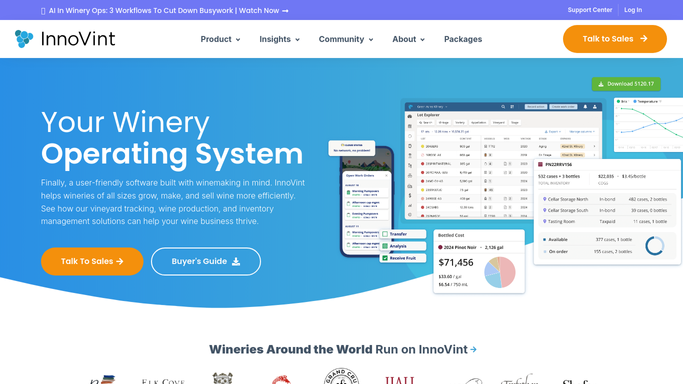
InnoVint - check case goods available for the release
innovint.us How to Automate InnoVint

WebRun opens InnoVint to check case goods available for the release. - Open InnoVint and check available case goods for each SKU in this release
- Set aside the quantity reserved for club allocation versus general sale
- Flag any SKU that will not have enough volume to cover every tier
Done when Available case goods for the release are confirmed against club reserve targets.
-
2
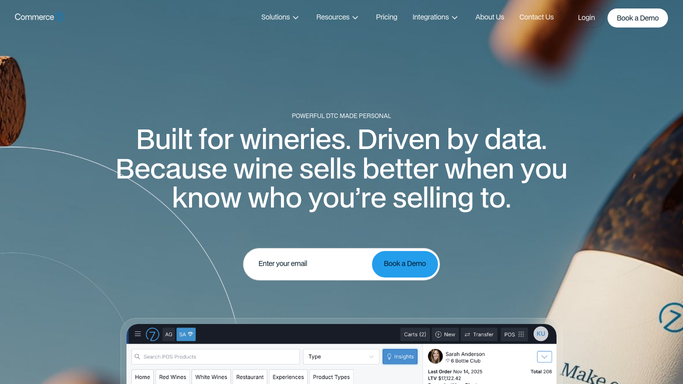
Commerce7 - match quantities to each member's tier
commerce7.com
WebRun opens Commerce7 to match quantities to each member's tier. - Open Commerce7 and pull the active member list grouped by club tier
- Read each tier's allocation entitlement and any member specific holds
- Match available inventory to what each tier is owed
Done when Every active member's tier and allocation entitlement is matched to available inventory.
-
3
Mailchimp - draft the allocation email for review
mailchimp.com How to Automate Mailchimp
WebRun opens Mailchimp to draft the allocation email for review. - Draft a personalized allocation email per tier with the wines, quantities, and price
- Leave every draft unsent in Mailchimp for you to review
- Never send a club email without a manager approving it first
Done when A reviewed, unsent allocation email draft exists for every club tier in this release.

How do I automatically draft wine club allocation emails by member tier?
WebRun drafts your wine club allocation emails for you, it never sends them on its own. Each release, it checks available case goods in InnoVint, matches quantities to every member's tier in Commerce7, and writes a personalized allocation email per tier in Mailchimp, leaving every draft unsent for a manager to review and approve before it reaches a single member.
- Allocation emails go out as a reviewed draft per tier, never unattended
- Members only get offered wine InnoVint confirms is actually available
- A full release's allocation drafts are ready without a manual tier by tier build
Built for wine club managers · DTC teams · tasting room managers · small production wineries
How is each run configured?
Secure by default
Connect once, stays signed in
WebRun signs in once and keeps each session in a persistent environment, so every run picks up right where it left off.
Every action is checked against this policy before it runs.
Questions, answered
Will it email wine club members without my approval?
No. Every allocation email is left as an unsent draft in Mailchimp. A manager reviews the wines, quantities, and pricing per tier and sends it, WebRun never sends a club email on its own.
How does it decide what each member is offered?
It reads the member's club tier and any specific holds already recorded in Commerce7, then matches that against the case goods InnoVint shows are available for the release.
What happens if a wine sells out mid allocation?
It checks current case goods in InnoVint before drafting, so it will flag a SKU running short rather than draft emails offering wine you do not have enough of.
Related templates
Put this on autopilot.
Turn it on in minutes - or have our team set it up for you.