Catch fermentation temperature swings before they spoil the lot
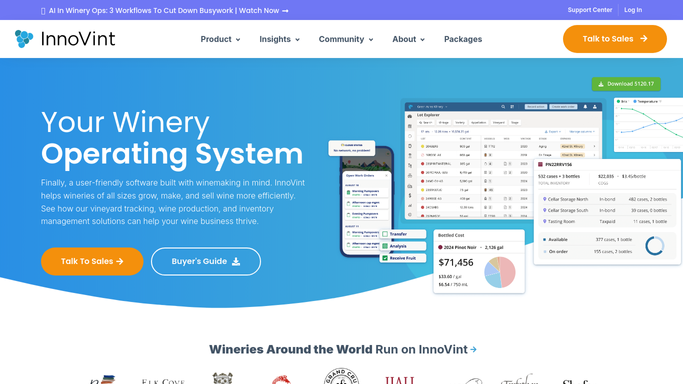
Every hour during active fermentation, WebRun opens InnoVint, reads the latest temperature entry logged against each fermenting lot, compares it to the target range set for that lot, texts the on call winemaker through Twilio the moment one drifts out of range, and posts a running log to Slack.
- No credit card
- Under $0.01 per run
- Cancel anytime
What does WebRun do on every run?
The exact actions WebRun takes, in order - in plain language, so you can adjust anything.
-
WebRun signs in and gets to work
Opens
cellar.innovint.usin a real browser with your saved login - no setup, no API keys. -
1
InnoVint - read the latest temperature entry per lot
innovint.us How to Automate InnoVint

WebRun opens InnoVint to read the latest temperature entry per lot. - Open InnoVint and list every lot currently in active fermentation
- Read the most recent temperature entry logged for each lot
- Compare it against the target range set on that lot's work order
Done when Every active lot has its latest temperature checked against its target range.
-
2
Twilio - text the on call winemaker about out of range lots
twilio.com How to Automate Twilio
WebRun opens Twilio to text the on call winemaker about out of range lots. - For any lot outside its target range, draft a short text naming the lot, the reading, and the range
- Send it to the on call winemaker's number on file
- Do not text about lots still inside range
Done when The on call winemaker has been texted about every lot currently out of range.
-
3
Slack - log every check to the cellar channel
slack.com How to Automate Slack
WebRun opens Slack to log every check to the cellar channel. - Post this hour's check to the cellar channel: how many lots checked, how many flagged
- List the flagged lots with their reading
- Keep a running log so the team can see the trend across the day
Done when The cellar channel has an hourly log of fermentation checks and any flags.


How do I get alerted when a fermenting lot drifts outside its target temperature?
WebRun watches your fermentations for temperature swings automatically. Every hour, it reads the latest temperature entry logged against each active lot in InnoVint, checks it against that lot's target range, and texts your on call winemaker through Twilio the moment one drifts out of range, while a running log posts to Slack so the whole cellar team can see the day's checks.
- Out of range lots get a human check within the hour, not at the next walk through
- The on call winemaker gets texted only when a lot actually needs attention
- A running hourly log shows the whole team what was checked and when
Built for winemakers · assistant winemakers · cellar masters · production teams
How is each run configured?
Secure by default
Connect once, stays signed in
WebRun signs in once and keeps each session in a persistent environment, so every run picks up right where it left off.
Every action is checked against this policy before it runs.
Questions, answered
Does WebRun ever adjust a tank's cooling or add anything to the wine?
No. It only reads temperature entries and alerts a person. Any jacket adjustment, punch down, or addition is still a human decision made in the cellar.
Who gets texted when a lot drifts out of range?
The on call winemaker's number on file, through Twilio. Nobody outside your winery ever receives these alerts.
What if no one has logged a temperature reading recently?
It only compares readings that exist. If a lot has not had a reading logged in InnoVint, WebRun flags that gap in the Slack log instead of guessing a temperature.
Related templates
Put this on autopilot.
Turn it on in minutes - or have our team set it up for you.