Know before you run out of traps
Every morning, WebRun opens GorillaDesk, checks the barcode-tracked count of every trap and exclusion device type against jobs scheduled for the week, logs current stock levels to a Google Sheets inventory tracker, and posts a Telegram alert the moment any trap type falls below your set reorder threshold.
- No credit card
- Under $0.01 per run
- Cancel anytime
What does WebRun do on every run?
The exact actions WebRun takes, in order - in plain language, so you can adjust anything.
-
WebRun signs in and gets to work
Opens
app.gorilladesk.comin a real browser with your saved login - no setup, no API keys. -
1
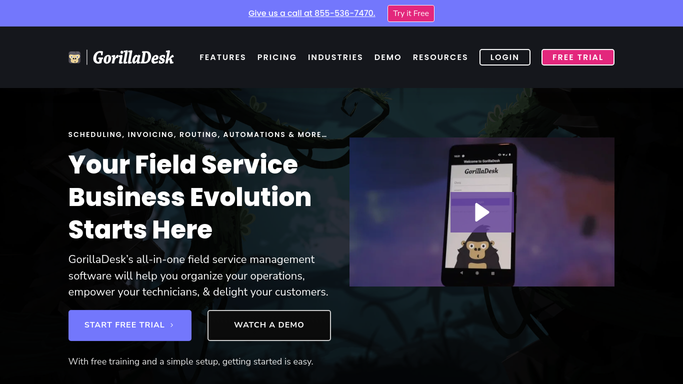
GorillaDesk - check barcode-tracked trap inventory
gorilladesk.com How to Automate GorillaDesk

WebRun opens GorillaDesk to check barcode-tracked trap inventory. - Open GorillaDesk and pull the current barcode-tracked count for every trap and device type
- Cross-check stock against traps assigned to this week's scheduled jobs
- Note which trap types are checked out to technicians versus sitting in the warehouse
Done when Current inventory counts for every trap and device type are captured.
-
2
Google Sheets - log current stock levels
google.com How to Automate Google Sheets
WebRun opens Google Sheets to log current stock levels. - Log today's stock count for each trap type in the inventory tracker
- Compare against yesterday's count to show usage trend
- Flag any trap type below its set reorder threshold
Done when The Google Sheets inventory tracker reflects today's stock levels and any low-stock flags.
-
3
Telegram - alert when a trap type runs low
telegram.org How to Automate Telegram
WebRun opens Telegram to alert when a trap type runs low. - Post a low-stock alert to the ops Telegram channel for any trap type below threshold
- Include the current count, the threshold, and how many jobs this week need that trap type
- Skip the alert entirely on days when every trap type is above threshold
Done when Your ops team is alerted in Telegram whenever a trap type needs reordering.


How do I get alerted before I run out of traps or exclusion devices?
WebRun checks GorillaDesk's barcode-tracked trap inventory every morning, logs current stock levels for every trap and device type to a Google Sheets tracker, and posts a Telegram alert the moment any type drops below your reorder threshold. Your ops team sees a shortage forming before a scheduled job runs short on equipment.
- Low trap stock is flagged before a scheduled job runs short
- Inventory trends are logged automatically every morning
- Alerts stay quiet on days when every trap type is well stocked
Built for wildlife removal companies · trap and equipment managers · multi-technician trapping operations · warehouse and supply coordinators
How is each run configured?
Secure by default
Connect once, stays signed in
WebRun signs in once and keeps each session in a persistent environment, so every run picks up right where it left off.
Every action is checked against this policy before it runs.
Questions, answered
Does it place a reorder for me automatically?
No. It only alerts your ops team when a trap type falls below threshold. Placing the actual purchase order is left to your team.
How does it know how many traps I have?
It reads the barcode-tracked inventory count directly from GorillaDesk, the same count your technicians update when they check traps in and out.
Will I get an alert every single day even when stock is fine?
No. The Telegram alert only posts when at least one trap type is below its threshold. On a normal day with healthy stock, it stays quiet.
Related templates
Put this on autopilot.
Turn it on in minutes - or have our team set it up for you.