Draft the right quote for every species on the first call
The moment a new inquiry arrives in GorillaDesk naming the species and property type, WebRun matches it to your pricing rules for that job, drafts a tailored quote email in Gmail explaining the process and cost range, and pings your sales team in Slack so a rep can review and send it within minutes.
- No credit card
- Under $0.01 per run
- Cancel anytime
What does WebRun do on every run?
The exact actions WebRun takes, in order - in plain language, so you can adjust anything.
-
WebRun signs in and gets to work
Opens
app.gorilladesk.comin a real browser with your saved login - no setup, no API keys. -
1
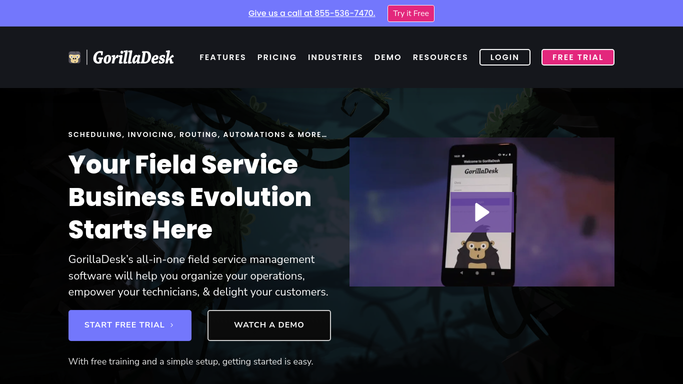
GorillaDesk - read the new inquiry and species details
gorilladesk.com How to Automate GorillaDesk

WebRun opens GorillaDesk to read the new inquiry and species details. - Monitor GorillaDesk for new inquiries submitted through the web form or call log
- Read the species named, property type, and any access or attic notes
- Match the job to your pricing rules for that species and job type
Done when The new inquiry is captured with species, property details, and a matched pricing rule.
-
2
Gmail - draft a tailored quote email
gmail.com How to Automate Gmail
WebRun opens Gmail to draft a tailored quote email. - Draft a quote email explaining the removal or exclusion process for that specific species
- Include the estimated cost range, typical timeline, and what the visit will involve
- Save it as a Gmail draft for the sales rep to review and send, do not send automatically
Done when A species-specific quote draft is saved in Gmail for the rep to approve.
-
3
Slack - alert sales the quote is ready to review
slack.com How to Automate Slack
WebRun opens Slack to alert sales the quote is ready to review. - Post the new inquiry to the sales Slack channel with the species and a link to the Gmail draft
- Flag jobs involving a protected or regulated species for a specialist to review first
- Mention the rep covering that service area
Done when The sales team is alerted in Slack with the quote draft ready to send.


How do I automatically draft an accurate quote based on the wildlife species involved?
WebRun reads every new inquiry in GorillaDesk for the species and property details, matches it against your pricing rules, and drafts a tailored quote email in Gmail explaining the process, timeline, and cost range for that job. It pings your sales team in Slack so a rep can review and send an accurate quote within minutes of the first contact.
- Every inquiry gets a tailored quote draft matched to its species and job type
- Sales reps review and send an accurate quote within minutes
- Protected species jobs are flagged for a specialist before a price goes out
Built for wildlife removal sales teams · nuisance wildlife operators · exclusion contractors · owner-operators handling their own quotes
How is each run configured?
Secure by default
Connect once, stays signed in
WebRun signs in once and keeps each session in a persistent environment, so every run picks up right where it left off.
Every action is checked against this policy before it runs.
Questions, answered
Will it send the quote to the customer without a rep reviewing it?
No. Every quote is saved as a Gmail draft for your sales rep to review, adjust, and send. Nothing goes to a prospect automatically.
How does it know what to charge for each species?
It matches the inquiry's species and job type against your own pricing rules in GorillaDesk, so the draft reflects your actual rates, not a generic estimate.
What about species that need special permits, like bats?
It flags any inquiry involving a protected or regulated species so a specialist reviews the job before a quote goes out, instead of drafting a standard price automatically.
Related templates
Put this on autopilot.
Turn it on in minutes - or have our team set it up for you.