Flag expense claims that breach your policy
WebRun checks new Webexpenses claims against your policy limits, holds a calendar slot to review any breach, and posts the alert to Microsoft Teams.
- No credit card
- Under $0.01 per run
- Cancel anytime
How do I catch Webexpenses claims that breach policy limits?
WebRun checks every new Webexpenses claim each morning against your policy limits, like mileage or meal caps, and when a line breaches one, it holds a calendar review slot and posts an alert naming the employee to Microsoft Teams. Approving, rejecting, or querying the claim stays a human decision inside Webexpenses.
- Policy breaches are flagged the morning they're submitted
- Every breach gets a named employee and a review slot
- Approving stays a human decision, this only surfaces the exception
Built for finance teams · expense administrators · HR · controllers
What does WebRun do on every run?
The exact actions WebRun takes, in order - in plain language, so you can adjust anything.
-
WebRun signs in and gets to work
Opens
webexpenses.comin a real browser with your saved login - no setup, no API keys. -
1
Webexpenses - check new expense claims against your policy limits
webexpenses.com
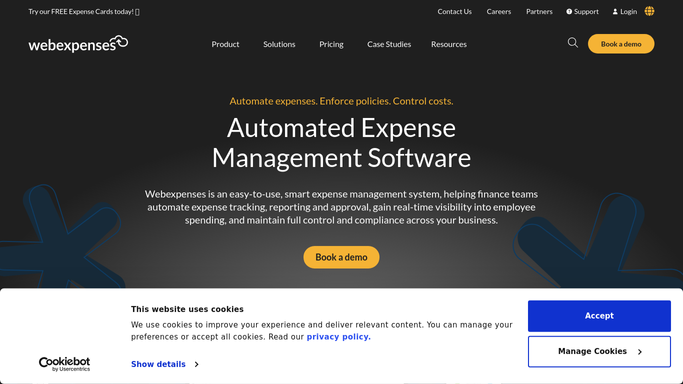
WebRun opens Webexpenses to check new expense claims against your policy limits. - Open Webexpenses and list claims submitted in the last 24 hours
- Check each claim line against your policy limits, such as mileage or meal caps
- Flag any line that breaches a limit
Done when Every new claim has been checked against policy limits.
-
2
Google Calendar - hold a calendar review slot for breaches
calendar.google.com How to Automate Google Calendar

WebRun opens Google Calendar to hold a calendar review slot for breaches. - Hold a short review slot for each flagged claim before it's due for approval
- Include the employee and the limit breached
- Clear the hold once the claim is approved or corrected
Done when A review slot exists for every unresolved policy breach.
-
3
Microsoft Teams - post the alert to Teams
microsoft.com How to Automate Microsoft Teams

WebRun opens Microsoft Teams to post the alert to Teams. - Post the count of flagged claims and which limits were breached
- Name the employee for each breach
- Keep the message short
Done when The finance channel has today's policy breach alert.
How is each run configured?
Secure by default
Connect once, stays signed in
WebRun signs in once and keeps each session in a persistent environment, so every run picks up right where it left off.
Every action is checked against this policy before it runs.
Questions, answered
Does it reject the claim automatically?
No. It only flags the breach and holds time to review it. Approving, rejecting, or querying the claim is still done inside Webexpenses.
What counts as a breach?
A claim line that exceeds a policy limit you've set in Webexpenses, such as a mileage rate or a meal cap.
Does it notify the employee?
No. The alert goes to your internal finance channel and calendar only. It never messages the employee directly.
Related templates
Put this on autopilot.
Turn it on in minutes - or have our team set it up for you.