Get your WayUp applicants every morning
Every morning, WebRun opens your WayUp employer dashboard, checks each posting for new applications since yesterday, adds a Trello card for every candidate with their school and resume link, and messages the campus recruiting lead on WhatsApp with today's count.
- No credit card
- Under $0.01 per run
- Cancel anytime
What does WebRun do on every run?
The exact actions WebRun takes, in order - in plain language, so you can adjust anything.
-
WebRun signs in and gets to work
Opens
www.wayup.comin a real browser with your saved login - no setup, no API keys. -
1
WayUp - find new applications
wayup.com

WebRun opens WayUp to find new applications. - Open your WayUp employer dashboard and check each posting
- List any application received since yesterday
- Capture the candidate's school, major, and resume link
Done when Every application received today is captured with their details.
-
2
Trello - add a card per candidate
trello.com How to Automate Trello
WebRun opens Trello to add a card per candidate. - Add a card for each new candidate to the applicants list
- Attach their resume link and applied posting
Done when Every new candidate has a card on the recruiting board.
-
3
WhatsApp - notify the recruiting lead
whatsapp.com How to Automate WhatsApp
WebRun opens WhatsApp to notify the recruiting lead. - Message the recruiting lead today's total applicant count by posting
- Flag any posting that got zero applicants
Done when The recruiting lead has today's digest in WhatsApp.
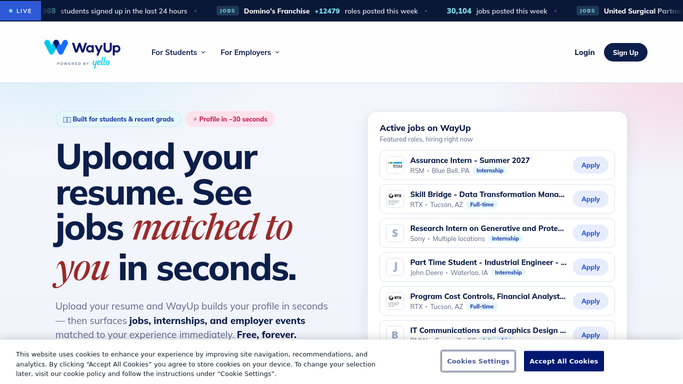


How do I get a daily digest of new WayUp applicants?
WebRun checks WayUp every morning for new applications to your internship and entry level postings, adds a Trello card per candidate with their school and resume link, and messages the campus recruiting lead on WhatsApp with today's totals. It never contacts a candidate itself, so outreach always stays a decision your team makes.
- Recruiting leads see today's applicants before the morning standup
- Postings with zero interest get flagged instead of ignored
- Every candidate has a Trello card the same day they apply
Built for campus recruiters · university relations teams · early career program managers · HR coordinators
How is each run configured?
Secure by default
Connect once, stays signed in
WebRun signs in once and keeps each session in a persistent environment, so every run picks up right where it left off.
Every action is checked against this policy before it runs.
Questions, answered
Does WebRun reply to student applicants?
No. It only logs applications and notifies your recruiting lead. Reaching out to a candidate stays a manual step your team takes.
How does it handle a posting with zero applicants?
It gets flagged in the WhatsApp digest, so a posting that isn't attracting candidates gets noticed instead of assumed to be fine.
Can this cover multiple internship postings at once?
Yes. Every active posting gets its own applicant count in the daily digest and its own Trello cards.
Related templates
Put this on autopilot.
Turn it on in minutes - or have our team set it up for you.