Draft renewal reminders before passes expire
Every Monday, WebRun opens Parker, finds season passes expiring in the next 30 days, builds a segmented renewal reminder campaign in Mailchimp with each passholder's expiry date and renewal price, and posts the membership team a Slack summary of who is due, leaving the campaign in draft for a human to review and send.
- No credit card
- Under $0.01 per run
- Cancel anytime
What does WebRun do on every run?
The exact actions WebRun takes, in order - in plain language, so you can adjust anything.
-
WebRun signs in and gets to work
Opens
parkerticketing.comin a real browser with your saved login - no setup, no API keys. -
1
Parker - find passes nearing expiry
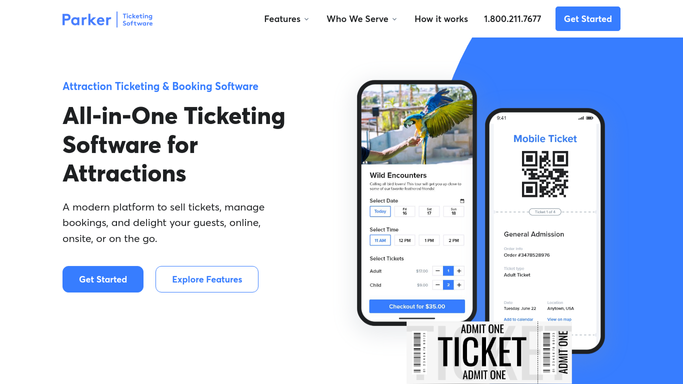
parkerticketing.com How to Automate Parker

WebRun finds the passes nearing expiry in Parker. - Open Parker and filter season passes to those expiring within 30 days
- Capture the passholder name, email, pass type, and expiry date
- Note whether the pass is set to auto-renew or needs a manual renewal
- Group passholders by how soon their pass lapses
Done when Every pass expiring in the next 30 days is listed with its expiry and renewal type.
-
2
Mailchimp - build the renewal reminder campaign
mailchimp.com How to Automate Mailchimp
WebRun builds the renewal reminder campaign in Mailchimp. - Open Mailchimp and build a renewal reminder campaign for the passholders due
- Segment the audience by how soon each pass expires
- Personalise each email with the passholder name, expiry date, and renewal offer
- Save the campaign as a draft and do not schedule or send it
Done when A segmented renewal campaign is drafted in Mailchimp, unsent, ready for review.
-
3
Slack - post the membership team a summary
slack.com How to Automate Slack
WebRun posts the membership team a renewal summary in Slack. - Post the membership channel a summary of how many passes are due to renew
- Break the count down by how soon each group lapses
- Note the passes set to auto-renew separately so the team only chases the rest
Done when The membership team has this week's renewal summary in Slack.


How do I automatically draft season pass renewal reminders before they expire?
Every Monday, WebRun finds season passes expiring within 30 days in Parker, then builds a segmented renewal reminder campaign in Mailchimp personalised with each passholder's expiry date and offer, and posts the membership team a Slack summary of who is due. The campaign stays in draft for a human to review and send, so no passholder is emailed automatically.
- Every expiring pass is captured in a renewal campaign before it lapses
- The team sends a reviewed campaign instead of building segments by hand
- Auto-renewing passes are excluded so only the right passholders are chased
Built for water park operators · membership teams · marketing teams · guest services
How is each run configured?
Secure by default
Connect once, stays signed in
WebRun signs in once and keeps each session in a persistent environment, so every run picks up right where it left off.
Every action is checked against this policy before it runs.
Questions, answered
Will it send the renewal campaign without me?
No. WebRun builds and saves the campaign in Mailchimp as a draft and never schedules or sends it. You review the copy, the segments, and the offer, then send it yourself, so nothing reaches passholders without approval.
Does it chase passholders already set to auto-renew?
It flags auto-renewing passes separately so you can exclude them from the send. That way only passholders who need to take action get a reminder, and auto-renewals are left to process on their own.
How does it decide who is nearing expiry?
It reads each pass's live expiry date in Parker and includes anyone lapsing within the next 30 days, grouped by how soon they expire, so the most urgent renewals sit in their own segment.
Related templates
Put this on autopilot.
Turn it on in minutes - or have our team set it up for you.