Reconcile identity verification status with your customer records
Every morning, WebRun opens Veriff, checks identity verifications completed in the last 24 hours, reconciles each decision against the customer status log in Google Drive, and posts any mismatch to Slack for the operations team to review.
- No credit card
- Under $0.01 per run
- Cancel anytime
What does WebRun do on every run?
The exact actions WebRun takes, in order - in plain language, so you can adjust anything.
-
WebRun signs in and gets to work
Opens
veriff.comin a real browser with your saved login - no setup, no API keys. -
1
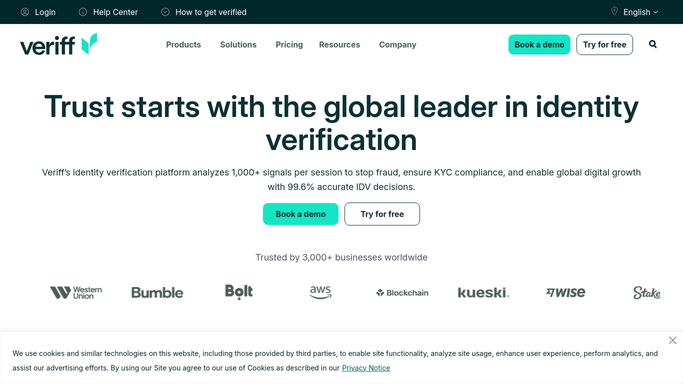
Veriff - check completed verifications
veriff.com

WebRun opens Veriff to check completed verifications. - Open the Veriff dashboard and check verifications completed in the last 24 hours
- Read each decision: approved, declined, or resubmission requested
- Note the customer reference for each
Done when Every verification completed in the last 24 hours has a read decision.
-
2
Google Drive - reconcile against the status log
drive.google.com How to Automate Google Drive
WebRun opens Google Drive to reconcile against the status log. - Open the customer status log in Google Drive
- Check that each verification decision matches the customer's recorded status
- Update the log only where the recorded status is simply out of date, never the decision itself
Done when Every completed verification has been checked against the status log.
-
3
Slack - post any mismatch
slack.com How to Automate Slack
WebRun opens Slack to post any mismatch. - Post any mismatch between Veriff's decision and the customer log to the operations Slack channel
- Include the customer reference and both statuses
- Leave resolving the mismatch to the operations team
Done when Every mismatch found this run has been posted to Slack.


How do I reconcile Veriff verification decisions with my customer records?
WebRun checks Veriff every morning for identity verifications completed in the last 24 hours, reconciles each decision against your customer status log in Google Drive, and posts any mismatch to Slack. It never changes a verification decision itself, so correcting a record always stays a human step.
- Customer records stay reconciled with Veriff's decisions every morning
- Mismatches are caught and flagged instead of drifting silently
- Verification decisions and corrections always stay a human call
Built for operations teams · compliance teams · trust and safety · onboarding operations
How is each run configured?
Secure by default
Connect once, stays signed in
WebRun signs in once and keeps each session in a persistent environment, so every run picks up right where it left off.
Every action is checked against this policy before it runs.
Questions, answered
Will WebRun change a verification decision?
No. WebRun never changes what Veriff decided. It only checks that your customer log matches that decision and flags where it does not.
What happens when a mismatch is found?
It gets posted to Slack with the customer reference and both statuses so your operations team can investigate and correct the record.
Does WebRun see the applicant's ID or biometric data?
No. It only reads the verification decision and customer reference, never the underlying document image or biometric data.
Related templates
Put this on autopilot.
Turn it on in minutes - or have our team set it up for you.