Earn more reviews by asking every customer right after the repair
Throughout the day, WebRun monitors Fullbay for work orders that have just been marked complete, drafts a review request email to the fleet contact while the experience is fresh, and notifies your service manager in Slack so they can approve and send the message at the right moment.
- No credit card
- Under $0.01 per run
- Cancel anytime
What does WebRun do on every run?
The exact actions WebRun takes, in order - in plain language, so you can adjust anything.
-
WebRun signs in and gets to work
Opens
app.fullbay.comin a real browser with your saved login - no setup, no API keys. -
1
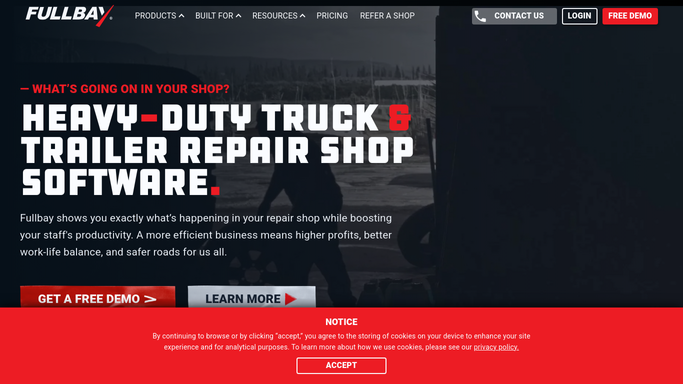
Fullbay - detect completed work orders
fullbay.com How to Automate Fullbay

WebRun opens Fullbay to detect completed work orders. - Monitor Fullbay for work orders whose status changes to Completed
- Capture the fleet account name, contact email, unit serviced, and repair type
- Skip any contact who received a review request in the last 60 days to avoid over-asking
Done when Every newly completed work order is matched to a fleet contact eligible for a review request.
-
2
Gmail - draft review request to fleet contact
gmail.com How to Automate Gmail
WebRun opens Gmail to draft review request to fleet contact. - Draft a brief, friendly review request email referencing the specific vehicle and service performed
- Include a direct link to your Google Business Profile or preferred review platform
- Save the email as a draft for the service manager to review before sending
Done when A draft review request email is ready in Gmail for each eligible completed repair.
-
3
Slack - notify service manager to approve
slack.com How to Automate Slack
WebRun opens Slack to notify service manager to approve. - Post a notification to the service manager channel listing the completed jobs and draft review requests queued
- Include the customer name, unit serviced, and a note to review the draft in Gmail
- Flag any fleet accounts that are frequent customers as higher-priority for a personal follow-up
Done when The service manager is alerted in Slack and knows which review request drafts to approve.


How do I automatically request reviews from fleet customers after completing a truck repair?
WebRun monitors Fullbay throughout the day for completed work orders and drafts a personalized review request email in Gmail for each fleet contact while the repair is still fresh. The service manager gets a Slack alert to approve the draft before it goes out, so your shop builds its online reputation consistently without any manual follow-up effort.
- Every completed repair triggers a review request while the job is still top of mind
- Customers are never asked twice within 60 days, keeping outreach professional
- Service managers approve all requests before sending, ensuring quality control
Built for truck repair shop owners · service managers · heavy-duty repair centers · fleet maintenance shops
How is each run configured?
Secure by default
Connect once, stays signed in
WebRun signs in once and keeps each session in a persistent environment, so every run picks up right where it left off.
Every action is checked against this policy before it runs.
Questions, answered
Will it send the review request to customers automatically?
No. Every review request is saved as a Gmail draft and the service manager is alerted in Slack to approve it. Nothing goes to a customer without a human sending it.
How does it avoid asking the same customer for a review too often?
It tracks when each contact last received a review request and skips anyone asked within the past 60 days, so frequent fleet customers are not bombarded with requests.
Which review platforms does the request link to?
You configure the review link once in WebRun. It can point to Google Business Profile, a Yelp listing, a Facebook page, or any URL where you want customers to leave feedback.
Related templates
Put this on autopilot.
Turn it on in minutes - or have our team set it up for you.