Keep fleet customers updated on every truck in your bays
Every morning, WebRun opens Karmak Fusion, reviews every open repair order across your service bays, drafts a plain language status update email for each fleet customer with an outstanding unit, and posts your service advisors a Microsoft Teams summary of what moved and what is stuck overnight.
- No credit card
- Under $0.01 per run
- Cancel anytime
What does WebRun do on every run?
The exact actions WebRun takes, in order - in plain language, so you can adjust anything.
-
WebRun signs in and gets to work
Opens
www.karmak.comin a real browser with your saved login - no setup, no API keys. -
1
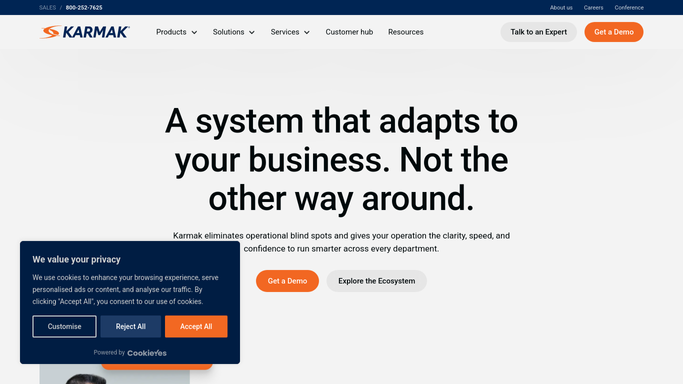
Karmak Fusion - check every open repair order
karmak.com How to Automate Karmak Fusion

WebRun opens Karmak Fusion to check every open repair order. - Open Karmak Fusion and filter repair orders to Open and Waiting on Parts statuses
- Capture the unit number, fleet account, current status, and estimated completion for each open repair order
- Flag any repair order whose status has not changed in more than 24 hours
Done when Every open repair order is listed with its current status and estimated completion.
-
2
Gmail - draft a status update per fleet customer
gmail.com How to Automate Gmail
WebRun opens Gmail to draft a status update per fleet customer. - Draft a short status update email for each fleet account with an open repair order
- Name the unit number, the current stage of the repair, and the estimated completion date
- Save every email as a draft in Gmail for a service advisor to review and send
Done when A draft status update is ready in Gmail for every fleet account with an open repair order.
-
3
Microsoft Teams - summarize repair order movement for service advisors
microsoft.com How to Automate Microsoft Teams
WebRun opens Microsoft Teams to summarize repair order movement for service advisors. - Post a summary to the service department channel listing repair orders that moved status overnight
- Separately flag repair orders stuck for more than 24 hours without a status change
- Include how many draft emails are waiting for advisor review
Done when Your service team has this morning's repair order summary in Microsoft Teams.


How do I automatically update fleet customers on the status of their truck repairs?
WebRun reviews every open repair order in Karmak Fusion each morning, drafts a plain language status update email for each fleet customer with a unit in your bays, and posts your service advisors a Microsoft Teams summary of what moved and what stalled overnight. Drafts wait for a human to send, so no customer status goes out unreviewed.
- Fleet customers get a same day status update on every open repair order
- Repair orders stuck more than 24 hours are flagged before a customer calls
- Service advisors start the day with a single Teams summary instead of checking every bay
Built for commercial truck dealerships · dealership service departments · fleet account managers · service advisors
How is each run configured?
Secure by default
Connect once, stays signed in
WebRun signs in once and keeps each session in a persistent environment, so every run picks up right where it left off.
Every action is checked against this policy before it runs.
Questions, answered
Will it email fleet customers without my team reviewing it first?
No. Every status update is saved as a Gmail draft for a service advisor to review and send. WebRun never emails a fleet customer directly.
How does it decide a repair order is stuck?
It flags any open repair order whose status in Karmak Fusion has not changed in more than 24 hours, so stalled jobs surface before a customer has to call and ask.
Does it work across multiple fleet accounts at once?
Yes. It checks every open repair order in Karmak Fusion each morning and drafts a separate update for every fleet account with a unit in your bays, no matter how many you run.
Related templates
Put this on autopilot.
Turn it on in minutes - or have our team set it up for you.