See your weekly call volume trends every Monday morning
Every Monday, WebRun pulls last week's dispatch totals from Towbook and Ranger SST, logs the breakdown by day, driver, and call type to a Google Sheet, and posts a trend summary to the management Slack channel so leadership sees the full picture before the week begins.
- No credit card
- Under $0.01 per run
- Cancel anytime
What does WebRun do on every run?
The exact actions WebRun takes, in order - in plain language, so you can adjust anything.
-
WebRun signs in and gets to work
Opens
app.towbook.comin a real browser with your saved login - no setup, no API keys. -
1
Towbook - pull weekly dispatch totals
towbook.com How to Automate Towbook

WebRun opens Towbook to pull weekly dispatch totals. - Open Towbook and filter dispatches to the previous 7 days
- Count calls by day, driver, and call type: motor club, private property, police rotation, direct
- Note total completed, cancelled, and no-dispatch calls
Done when Last week's Towbook dispatch totals are captured by day, driver, and call type.
-
2
Ranger SST - pull motor club call volume
rangersst.com
WebRun opens Ranger SST to pull motor club call volume. - Open Ranger SST and pull motor club call volume for the past 7 days
- Capture calls by motor club partner and service type
- Note any calls flagged for follow-up or incomplete resolution
Done when Motor club call volume from Ranger SST is captured and ready to merge with Towbook data.
-
3
Google Sheets - log and trend the data
google.com How to Automate Google Sheets
WebRun opens Google Sheets to log and trend the data. - Open the weekly call volume report sheet
- Append this week's totals: combined volume, per-driver breakdown, and call type split
- Calculate week-over-week change for total volume and top drivers
- Flag any driver with a significant drop in call count
Done when The report sheet is updated with this week's data and week-over-week trends.
-
4
Slack - post management summary
slack.com How to Automate Slack
WebRun opens Slack to post management summary. - Post the weekly summary to the management Slack channel
- Include total calls, top driver, dominant call type, and week-over-week change
- Include a link to the full Google Sheet for deeper review
Done when Management has this week's call volume summary in Slack before the business day starts.
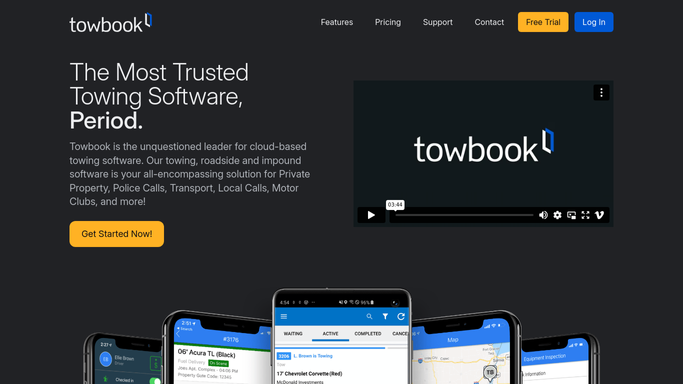



How do I get a weekly towing call volume report automatically?
Every Monday, WebRun pulls last week's dispatch totals from Towbook and Ranger SST, logs the breakdown by day, driver, and call type to a Google Sheet, and posts a trend summary to your management Slack channel. Leaders see week-over-week volume changes before the week begins.
- Weekly call volume trends visible in Slack every Monday before the day starts
- Week-over-week changes calculated automatically so anomalies are not missed
- Combined Towbook and Ranger SST data in one Google Sheet for full visibility
Built for towing company owners · tow operations managers · roadside assistance operators · towing fleet managers
How is each run configured?
Secure by default
Connect once, stays signed in
WebRun signs in once and keeps each session in a persistent environment, so every run picks up right where it left off.
Every action is checked against this policy before it runs.
Questions, answered
Does it send the report to anyone outside the company?
No. The report is posted internally to your management Slack channel and logged in a private Google Sheet. No data is shared externally.
Can it include data from both Towbook and Ranger SST together?
Yes. It pulls dispatch data from both systems and combines them in the Google Sheet so you see total call volume across all sources in one report.
What if call volume was unusually low one week?
It calculates week-over-week change and flags significant drops in the Slack summary, so low-volume anomalies are visible without you having to look for them.
Related templates
Put this on autopilot.
Turn it on in minutes - or have our team set it up for you.