Never miss an impound lien deadline
Every morning, WebRun checks impounded vehicles logged in Towbook, calculates lien notification deadlines based on storage start date and state requirements, updates a Google Sheet tracker, and posts a prioritized alert to Slack listing any vehicles with deadlines in the next 7 days.
- No credit card
- Under $0.01 per run
- Cancel anytime
What does WebRun do on every run?
The exact actions WebRun takes, in order - in plain language, so you can adjust anything.
-
WebRun signs in and gets to work
Opens
app.towbook.comin a real browser with your saved login - no setup, no API keys. -
1
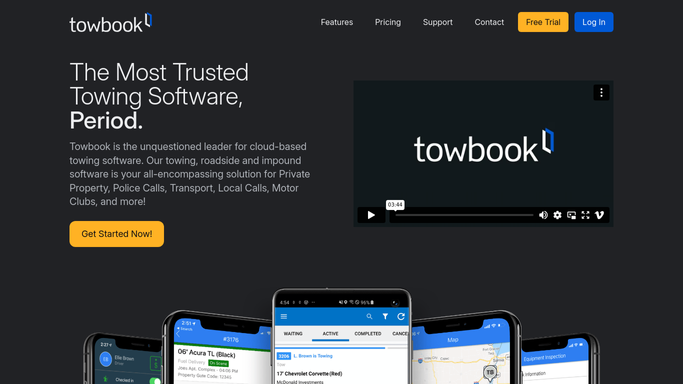
Towbook - check impounded vehicle records
towbook.com How to Automate Towbook

WebRun opens Towbook to check impounded vehicle records. - Open Towbook and navigate to impounded vehicles
- Capture vehicle ID, storage start date, owner info status, and current storage duration
- Flag any vehicle with a lien process not yet initiated
Done when All active impounded vehicles are listed with storage start dates and lien status.
-
2
Google Sheets - update deadline tracker
google.com How to Automate Google Sheets
WebRun opens Google Sheets to update deadline tracker. - Open the lien deadline tracking sheet
- Update each vehicle row with current storage days and calculated deadline date
- Highlight vehicles whose lien notification deadline falls within 7 days
- Mark overdue lien actions in red for immediate attention
Done when The tracker sheet reflects current deadlines and highlights urgent vehicles.
-
3
Slack - alert team to upcoming deadlines
slack.com How to Automate Slack
WebRun opens Slack to alert team to upcoming deadlines. - Post the daily alert to the impound Slack channel
- List vehicles with deadlines in the next 7 days, sorted by urgency
- Include vehicle ID, storage days, and deadline date for each
- Include a link to the Google Sheet for full detail
Done when The team has today's lien deadline alert in Slack with vehicles listed by urgency.


How do I track impound lien deadlines automatically for my towing company?
Every morning, WebRun checks impounded vehicles in Towbook, calculates lien notification deadlines against storage start dates, updates a Google Sheet tracker, and posts a prioritized Slack alert listing any vehicles with deadlines in the next 7 days. Teams act before deadlines are missed, not after.
- Lien deadlines flagged 7 days in advance so teams can act in time
- No vehicle falls through the cracks with a missed notification deadline
- Full audit trail in Google Sheets for every impounded vehicle
Built for towing companies · impound lot operators · tow compliance managers · roadside assistance operators
How is each run configured?
Secure by default
Connect once, stays signed in
WebRun signs in once and keeps each session in a persistent environment, so every run picks up right where it left off.
Every action is checked against this policy before it runs.
Questions, answered
Does it send lien notices to vehicle owners automatically?
No. This workflow only tracks deadlines and alerts your team internally. All lien notices and legal documents are drafted for human review and approval before being sent.
How does it calculate lien deadlines?
It calculates from the storage start date in Towbook using the deadline window you configure in the Google Sheet. You set the window to match your state's lien law requirements.
What if the lien process has already been started for a vehicle?
Vehicles with a completed lien initiation status in your tracker are excluded from the daily alert so the list stays focused on action items only.
Related templates
Put this on autopilot.
Turn it on in minutes - or have our team set it up for you.