Build a record of what actually lands on Threads
Every night, WebRun opens your Threads profile, reads each post published in the last 30 days with its likes, replies and reposts, writes or updates a row per post in Airtable, and refreshes a short Notion note on which topics and formats are performing best this week.
- No credit card
- Under $0.01 per run
- Cancel anytime
How do I track which of my Threads posts perform best?
WebRun opens your Threads profile each night and reads every post from the last 30 days with its likes, replies, and reposts. It writes or updates one Airtable row per post, then refreshes a short Notion calendar note naming the formats and topics that performed best this week.
- Every post is logged with its numbers, refreshed nightly
- Planning decisions are made from a real record, not memory
- Older posts that keep gaining traction stay accurately measured
Built for social media managers · creators · content marketers · personal brands
What does WebRun do on every run?
The exact actions WebRun takes, in order - in plain language, so you can adjust anything.
-
WebRun signs in and gets to work
Opens
www.threads.net/loginin a real browser with your saved login - no setup, no API keys. -
1
Threads - read every post and its numbers
threads.net
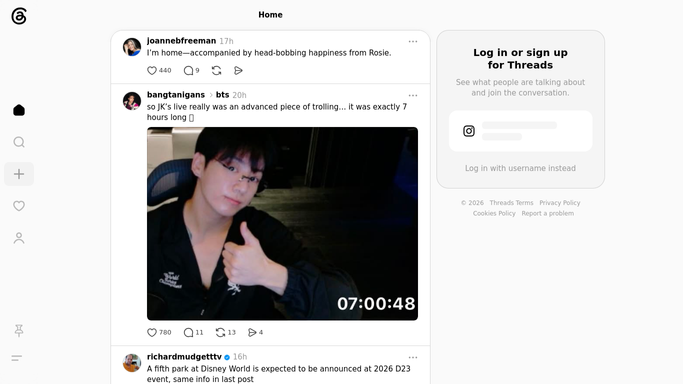
WebRun opens Threads to read every post and its numbers. - Open your Threads profile and scroll your posts from the last 30 days
- For each post, capture the date, the opening line, whether it had an image or link, and whether it was part of a thread
- Record the current likes, replies, and reposts
- Note posts that gained engagement since the previous run
Done when Every post from the last 30 days has current engagement figures.
-
2
Airtable - log a row per post
airtable.com How to Automate Airtable

WebRun opens Airtable to log a row per post. - Open your Airtable content base
- Add a row for any post not yet logged, with date, opening line, format, and topic
- Update engagement figures on existing rows so the record stays current
- Match on post date and opening line so no post is duplicated
Done when Every post from the last 30 days has a current row in Airtable.
-
3
Notion - update the content calendar note
notion.so How to Automate Notion

WebRun opens Notion to update the content calendar note. - Open your Notion content calendar
- Write a short note on the week: top three posts, the format that performed best, and the topic that drew the most replies
- Flag any planned post whose topic has been underperforming lately
- Keep the note under ten lines so it is read, not skimmed
Done when The content calendar carries a current read on what is landing.
How is each run configured?
Secure by default
Connect once, stays signed in
WebRun signs in once and keeps each session in a persistent environment, so every run picks up right where it left off.
Every action is checked against this policy before it runs.
Questions, answered
Does it post or reply on Threads?
No. The Threads side is read-only. WebRun opens your own profile, reads your posts and their engagement, and never posts, replies, likes, or follows.
What happens to older posts?
They keep their Airtable row. WebRun refreshes engagement for the last 30 days, so a post that keeps gaining replies stays current instead of freezing at its day-one numbers.
Will it duplicate rows every night?
No. WebRun matches each post on its date and opening line, so an existing row is updated and only genuinely new posts create a row.
Related templates
Put this on autopilot.
Turn it on in minutes - or have our team set it up for you.